
- Idle
- Thinking
- Working
- Needs you
- Noticed
- Done
- Didn't finish
- Can't reach your Mac
- Holding
- Hello again
Black Box
I've kept two Obsidian vaults for years. Writing things down was easy. Finding them again, and knowing whether they were still true, wasn't. So I built Black Box. It reads my notes, answers from them, and shows where every answer came from.
It runs on a Mac mini at home, and I use it from my iPhone and Mac. Every change it makes comes with an Undo.
- Started
- Sep 24, 2026
- Commits
- About 700 in the first month
- Decisions
- 229, all written down
- Built with
- Claude Agent SDK, SwiftUI
Ask it something
A day with it
It starts in the conversation
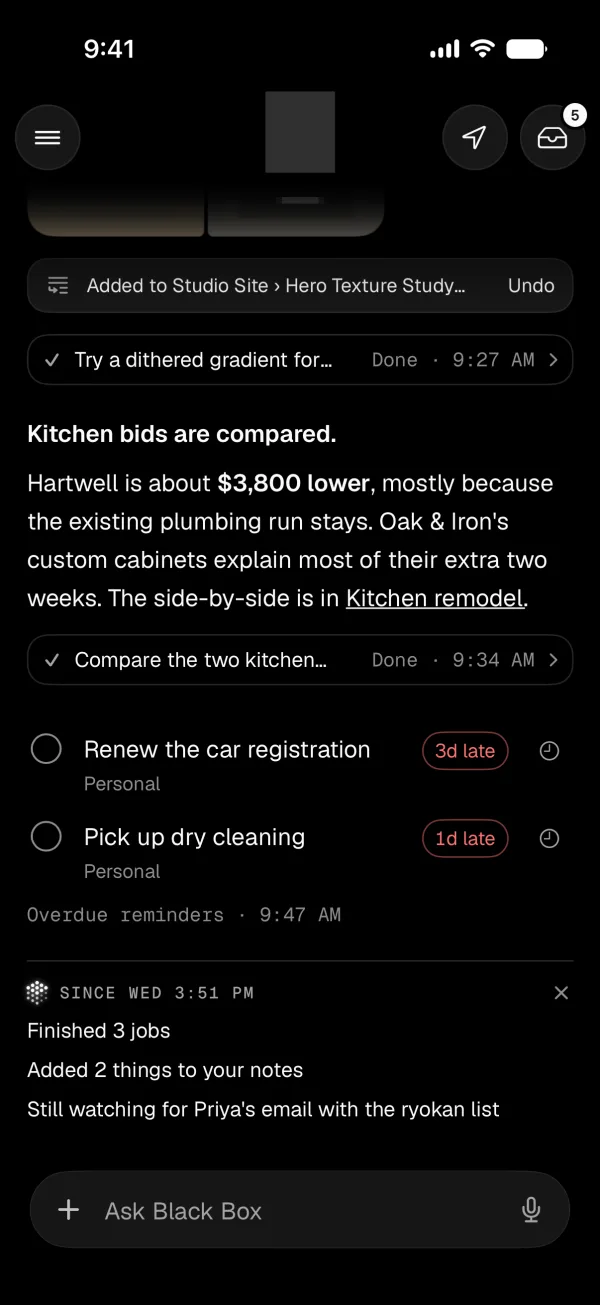
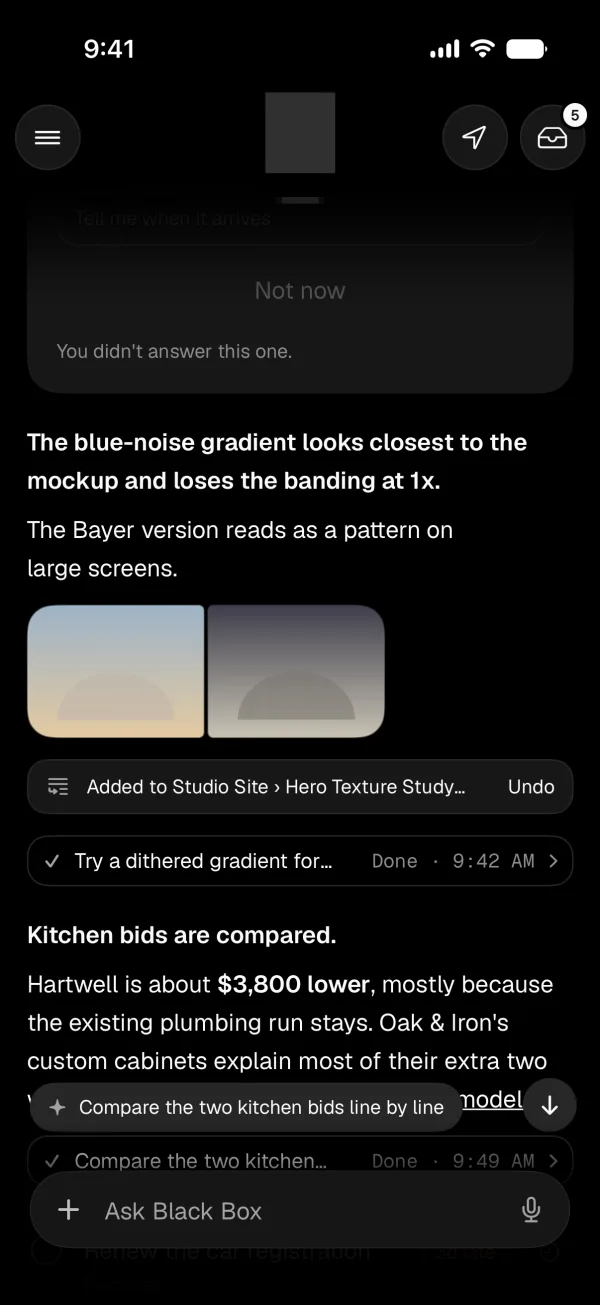
I type or talk to it, or share a link, photo or PDF. Whatever an answer makes shows up as a card right under it, and I can keep sending while it works.
It rarely interrupts me
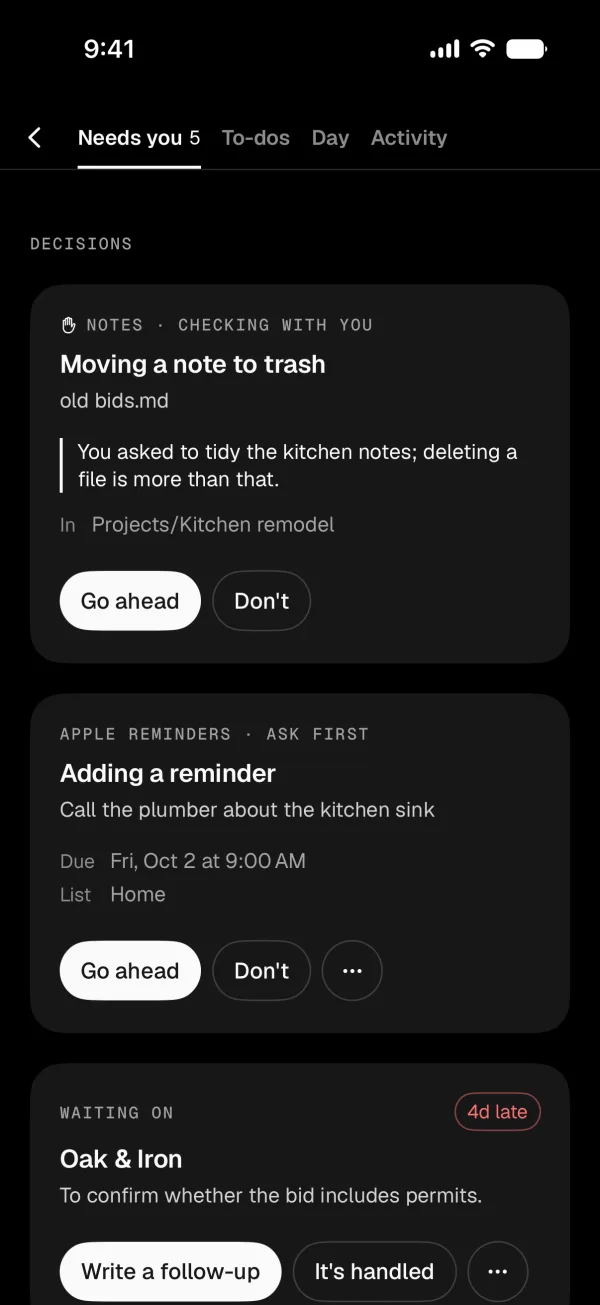
Every 30 minutes it checks my email, bank feed and calendar. Almost everything waits for the evening roundup, which asks me to decide at most three things.
Bigger jobs run in the background
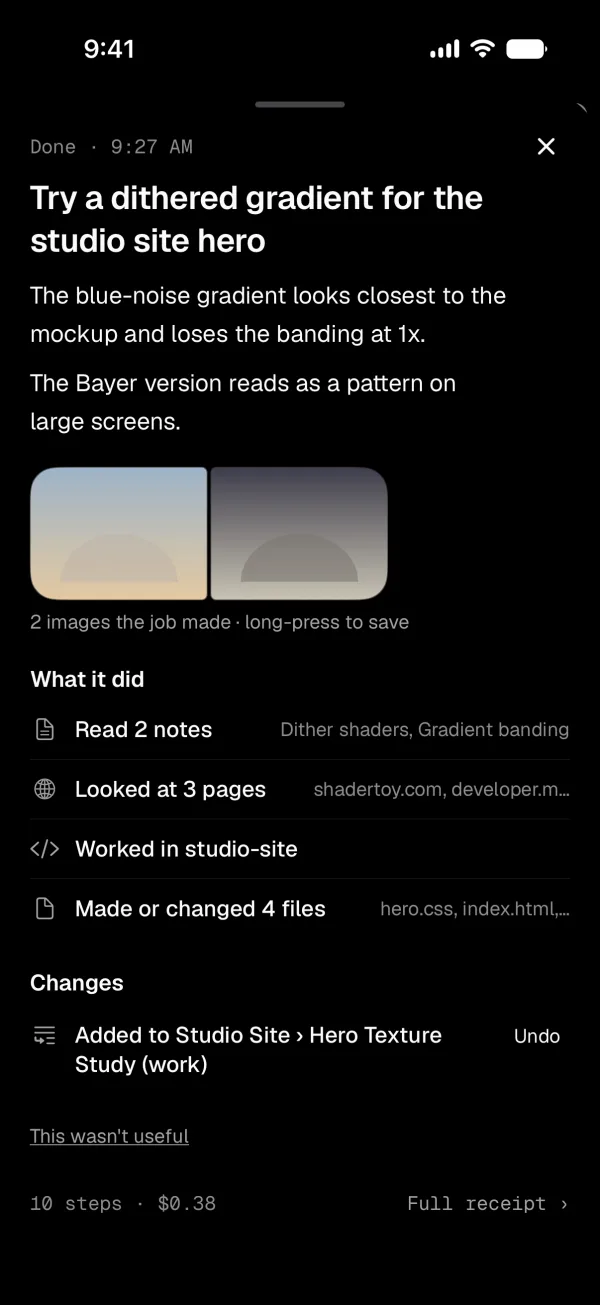
A job can research, write, or change code on its own branch and open a pull request. Nothing merges until I tap Ship it.
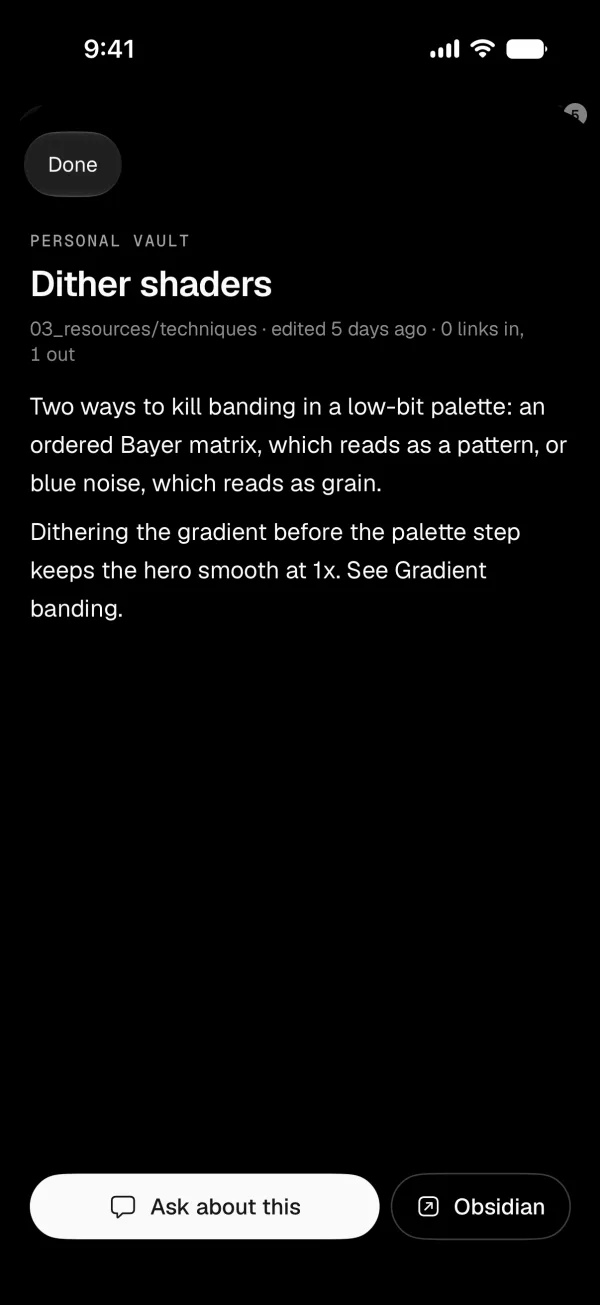
It answers from my notes
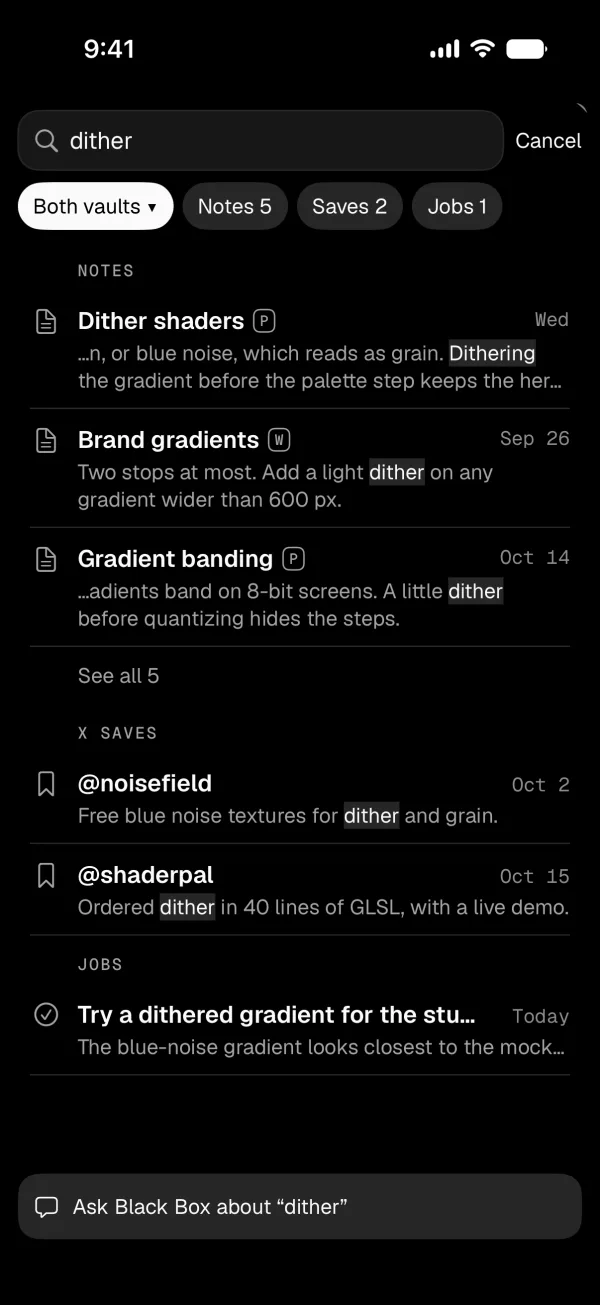
My two Obsidian vaults, one personal and one for work, are the backend. The notes are the source of truth. I still edit them in Obsidian, and my edits win. A question searches both vaults unless I start it with p: or w:. I wrote about how I keep the vaults, and why I built on top of them, in Black Box: a private agent for my notes.
What goes in
- What I tell it in the chat
- Notes from my meetings
- Decisions and promises from a conversation once it goes quiet
- Contact details for the people I email
- Texts with the people in my life
Everything is a dated entry, and what was said is marked apart from what was inferred
What comes out
- Answers that name the notes they used
- Search across both vaults, without a model
- To-dos in Apple Reminders
- The morning brief and the evening roundup
- The notes each background job starts from
Answers show their sources
It names the notes it used, and keeps my labels for what was stated and what was guessed, so a guess doesn't come back later as a fact.
When I correct it, it stays corrected
When I say a note is stale or the wrong source, that goes into a log that changes what it pulls from next time, in Black Box and in Claude Code.
Every note it changes has an Undo
It writes down what it's about to do before it touches a file. If I've edited the note since, Undo refuses instead of overwriting me.
It keeps my notes up to date
When a conversation goes quiet, it files what was decided and promised into the right notes, as dated entries I can undo.
What it remembers, and who changes it
Only I change its voice and boundaries. What it learns about how I like to be helped mostly arrives as a suggestion I apply.
Work and personal stay apart
One conversation, but two separate memories. Work systems are refused in code.
Money
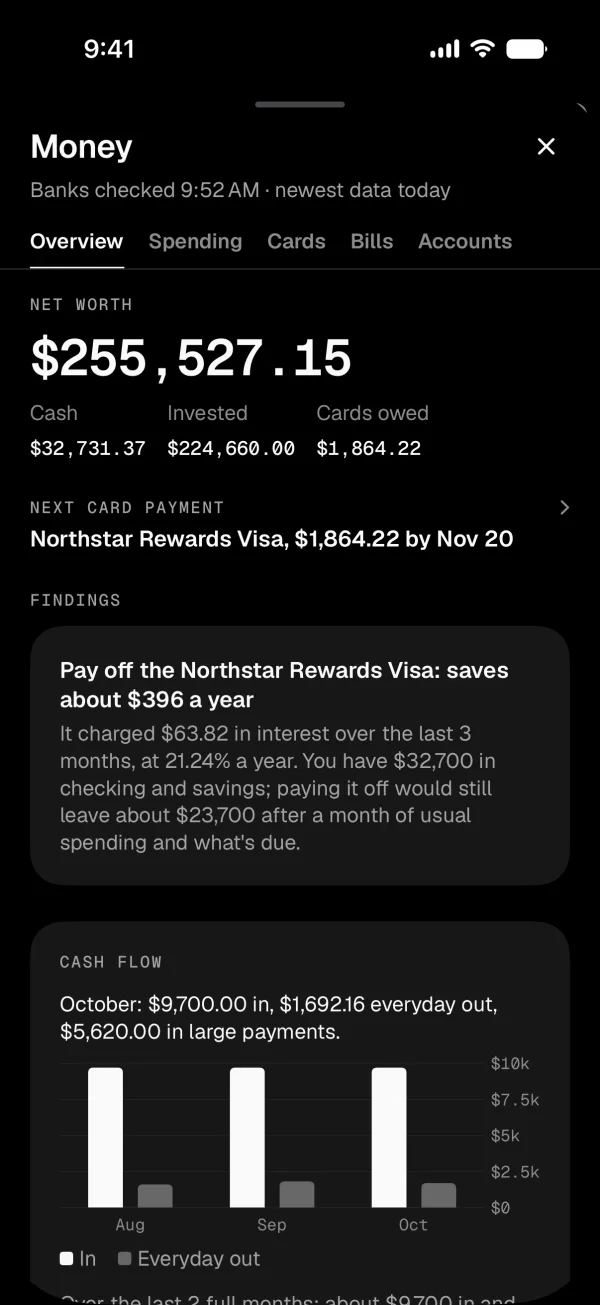
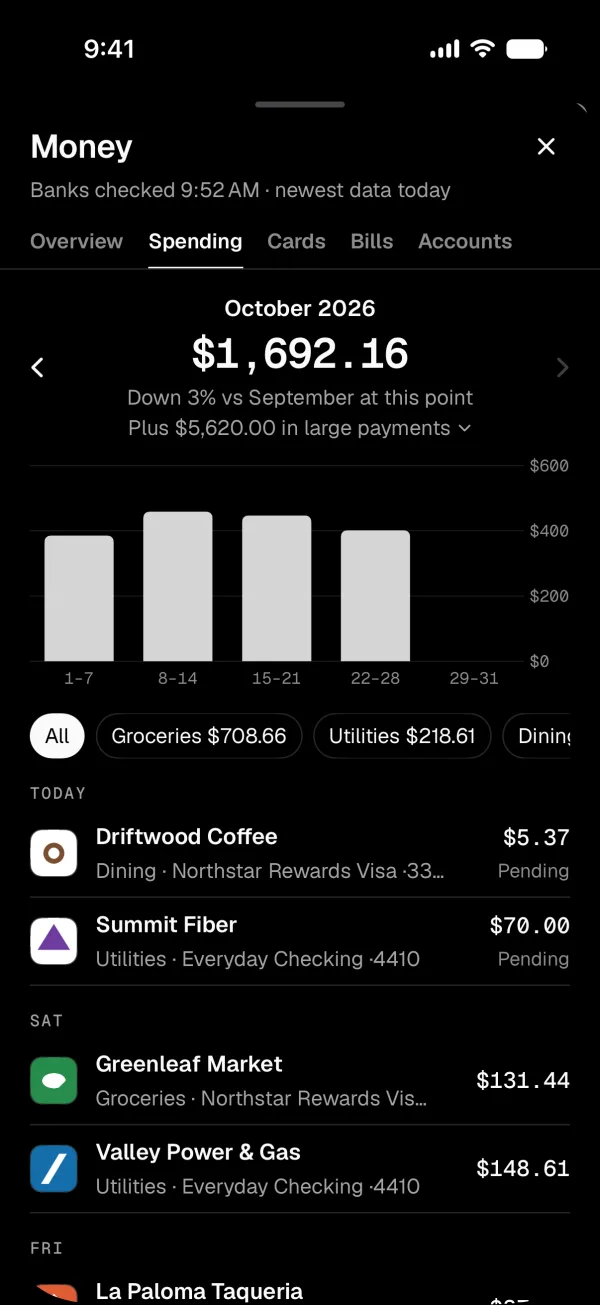
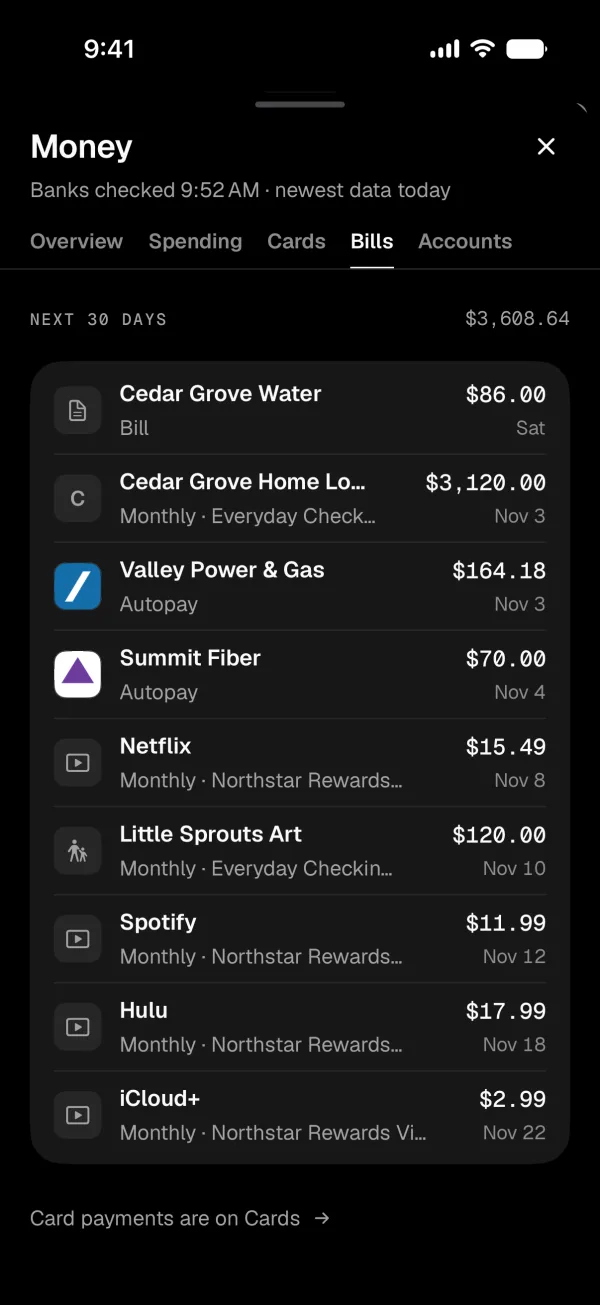
Money, Health and Sites are the pages I open most. Black Box sees my transactions next to my email, calendar and notes, so it can follow a bill from the email to the payment. It reads my financial email and a read-only bank feed every night, and it never moves money.
What it catches
- 3 daysA bill coming due with no payment
- 5 daysLeft to return something I bought
- Price upA new subscription, or one that costs more
- TwiceThe same charge, two times
- UnusedA subscription I don't seem to use
- 10 daysA refund emailed but still not back
Health
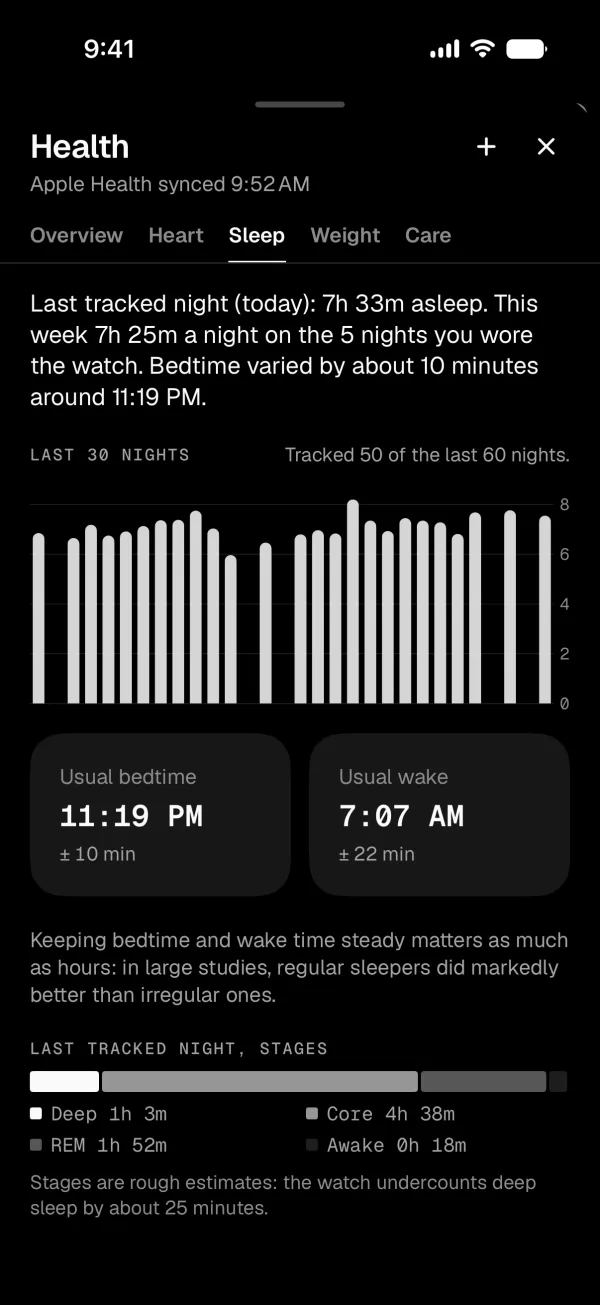
Apple Health plus anything I log in the chat, summarized on the Mac. I wrote down rules for the page before building it, and every tab follows them.
- Compare the last 7 days with the person's own normal, not population averages.
- Judge blood pressure on a week of readings, never one.
- Lead sleep with how long and how regular. Sleep stages are rough estimates.
- Show weight as a trend with a weekly rate.
- No readiness scores or health age.
- Show how sure it is, and how many readings it's based on.
Sites
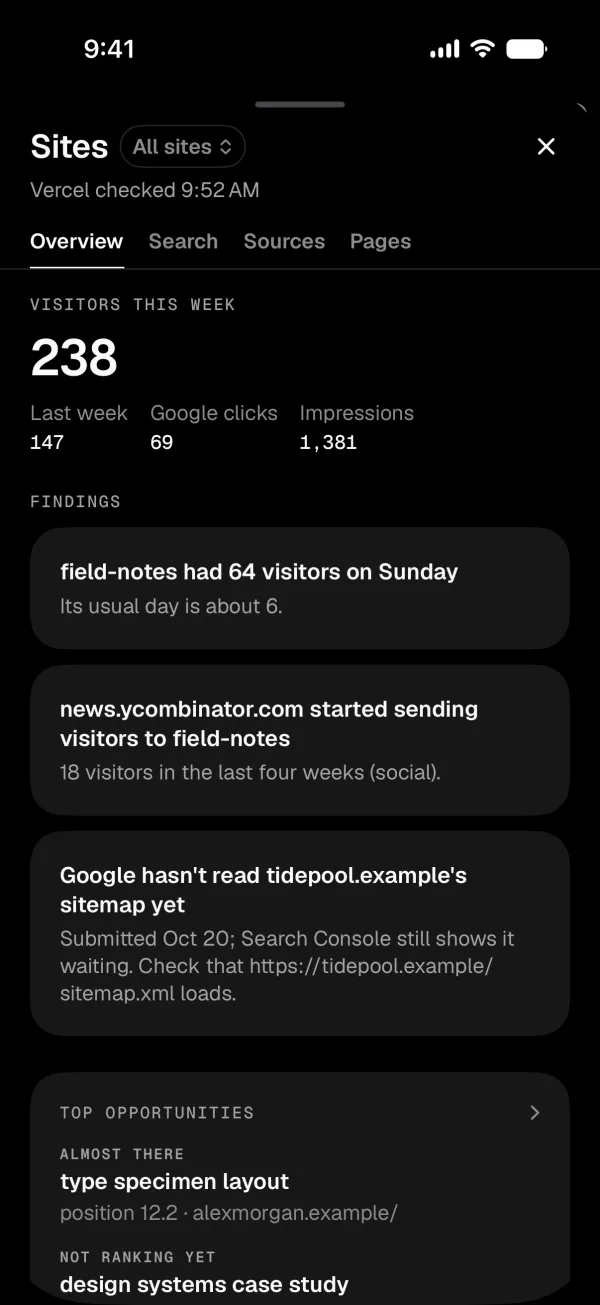
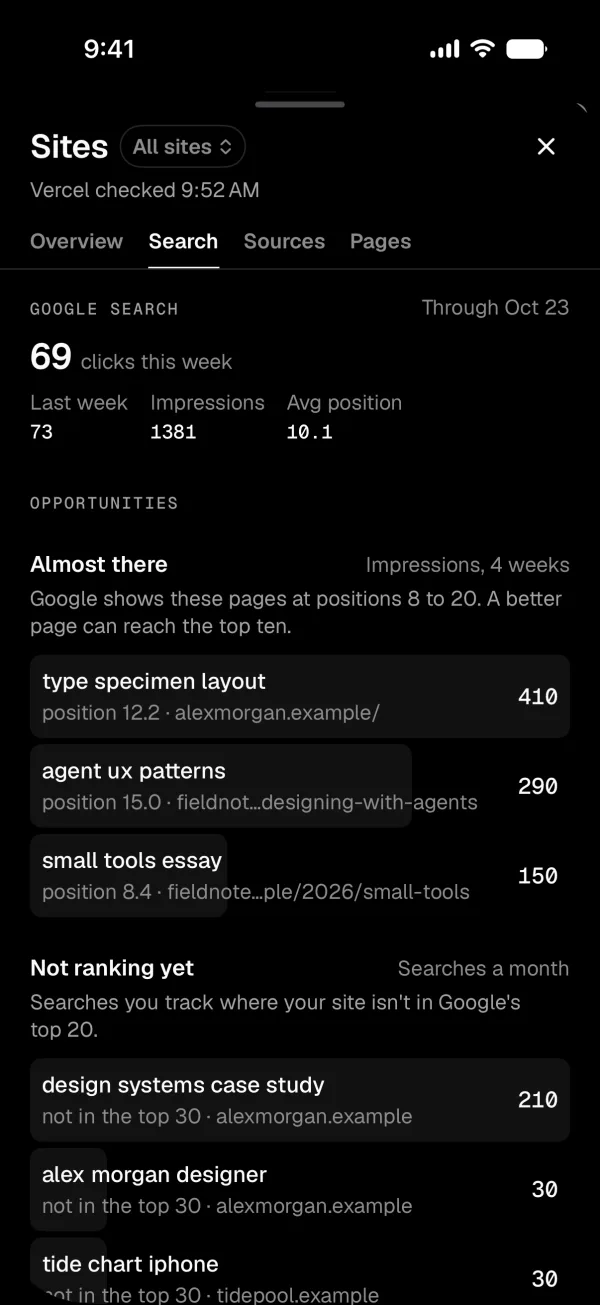
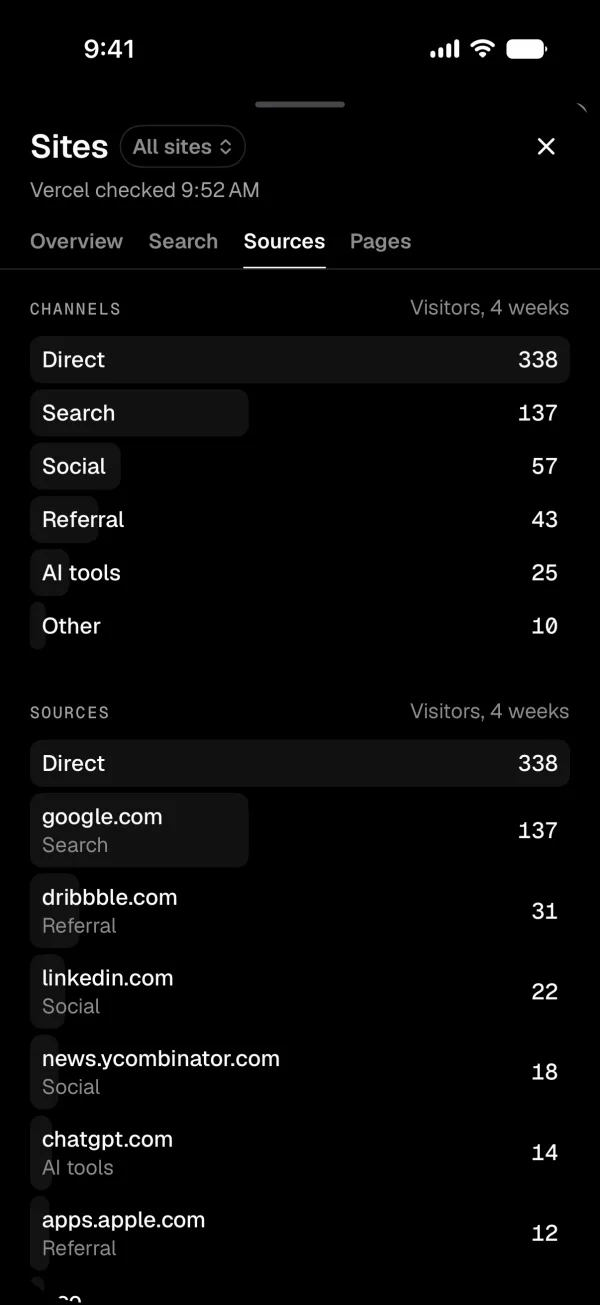
Every morning it reads Vercel Analytics and Google Search Console for the sites I run, and checks rankings once a week. At small numbers a few visits is noise, so it uses minimum counts instead of percentages. Vercel's token can't be made read-only, so the code lets only read requests through.
Showing what it's doing
The app had 14 places that showed what the agent was doing, and they didn't agree. Now there are nine states with one word each, plus a hello, and Box acts them out in the title bar. Pick one to watch it.
What it's allowed to do
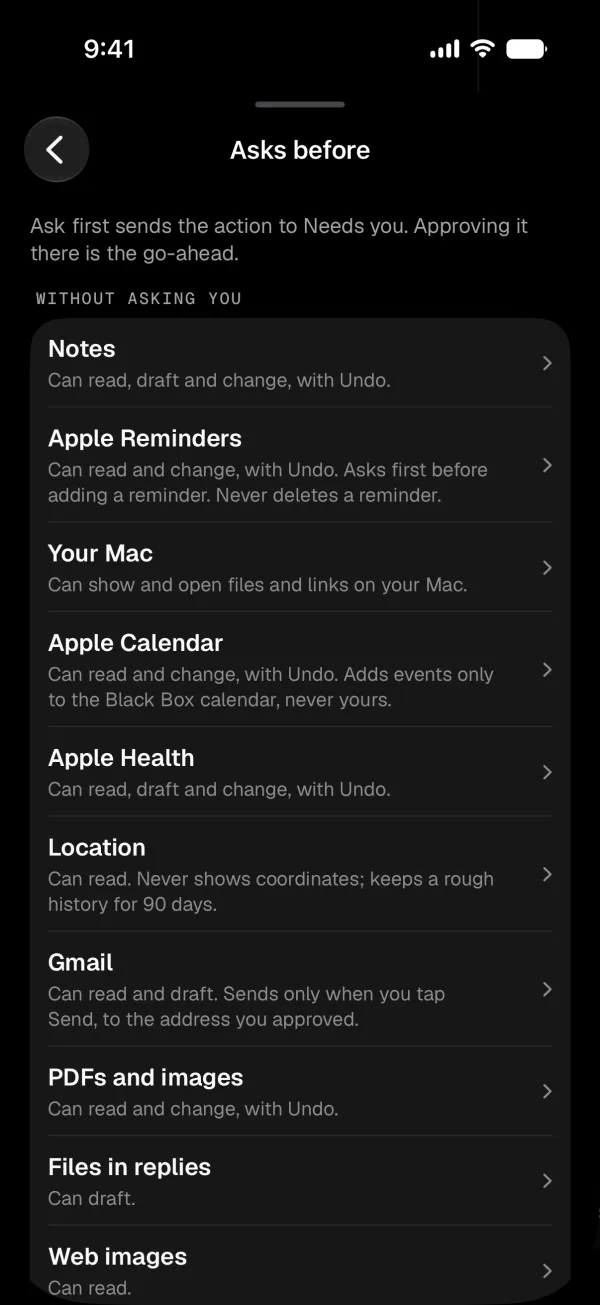
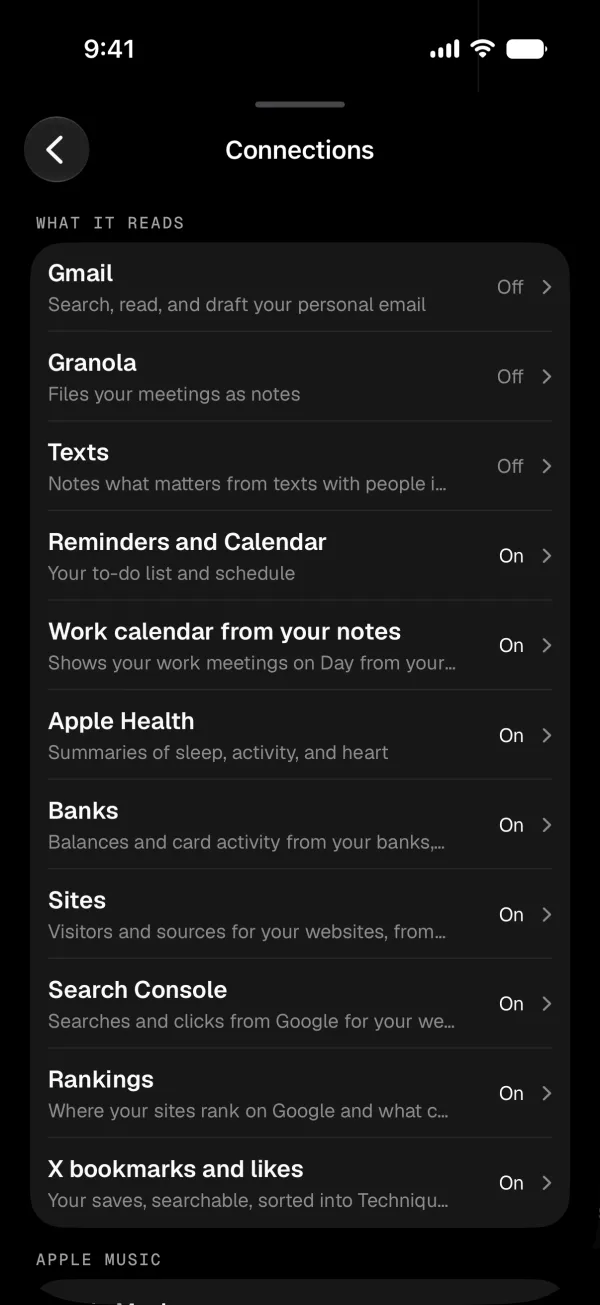
Black Box reads my email, texts, bank feed and health data, so I had to trust it first. The model suggests what to do, and the code around it decides what happens. Every model run goes through the same check, and anything it reads is information, never instructions.
- T0ReadingGoes aheadNotes, mail, calendar, the web.
- T1Changes I can undoGoes ahead, with UndoNotes, drafts, reminders, its own code branches.
- T2Editing a project's codeAsks onceFor each kind of change in a job.
- T3Sending, buying, merging, deletingAsks every timeNo answer means no. Nothing in the background can do these.
How I built it
I worked with coding agents and wrote down every decision as I went, 229 in the first month. That log became the spec. Kris Puckett's Shadowfax showed me what a personal agent on a Mac mini could feel like.
- Sep 24–25
Checking whether I needed it
I tested my own search against Claude Code with a good instructions file. Mine didn't win, so I kept the one part that did, a corrections log, and built a thin layer around the Claude Agent SDK.
- Sep 26–27
Getting the core working
Both vaults, helper agents limited by role in code, and the Librarian. Gmail, iMessage and Reminders came in read-first, then Money and Health.
- Sep 28–Oct 2
Building the app
SwiftUI on my own design system, plus a Mac version. Performance passes, then design critiques, with each fix written down as a decision.
- Oct 8–14
Using it for real
After eleven days, 94 items were waiting on my approval. I flipped it so the agent does the work and I review it, and I dropped Slack for the app.
- Oct 15–20
Making it hold up
A review of the code around the model led to a tested sandbox for jobs, one permission check for everything, and tests that run the real system on made-up people.
- Oct 20–24
Box, and noticing things on its own
Box moved into the title bar. Black Box started checking my email, bank and calendar every 30 minutes, and every kind of card got defined in one place.
Changelog
Version 0.2 went to TestFlight on October 15, and there have been 51 builds since. These are the last four days.
-
6 builds · 16 commits
Cards and the composer
- The message box floats. It's a small pill until I start writing, then it opens up. D212
- I can answer a card by replying in the chat, and a card that expires gets recorded instead of quietly disappearing. D215, D216
- Package tracking from shipping emails, the first new kind of card. D220
-
7 builds · 29 commits
Box
- Box, a pixel block with a face, becomes the app icon and moves into the title bar. D207, D208
- Box waves when I come back after 20 minutes away. D211
- Settings gets its own page. D205
-
9 builds · 16 commits
The roundup as cards, and more catches
- The evening roundup arrives in the conversation as cards I can tap. D193
- More catches, like a bill much bigger than last month's, and renewals and warranties found in old email. D188, D189
- Apple Music. It can make playlists, and I can listen before I say yes. D196, D197
-
13 builds · 20 commits
Noticing things on its own
- It checks email, the bank feed and the calendar every 30 minutes. D166
- It finds subscriptions I don't seem to use and gets me to the cancel page, stopping before the last step. D167
- Spaces, one thread for each goal or area. D175
What's next
It's a personal project, so there's nothing to download. Next is Google Drive, and drafts that fix notes that have gone stale.
Read the first essay on Substack ↗ jcsizmadi@gmail.com Résumé