A weekend of building Black Box
A few weeks ago I wrote about Black Box, the private agent I built on top of my Obsidian vaults. That post was mostly about finding my notes and trusting what came back.
This weekend I added five new features. Most of them go past my notes and into my day. I’ll go through them in the order I built them. The screenshots come from a demo version, so the names and numbers in them are made up.
My sites, in one place
I have 14 projects on Vercel, the service that hosts my websites, and I’d never looked at their traffic side by side. On Saturday I turned on Vercel’s analytics for all of them and gave Black Box a Sites page, next to its Money and Health pages.
The page leads with findings instead of charts. If a site that usually gets a dozen visitors a day goes three days with none, it tells me. Same if a site gets three times its usual traffic in a day, or a new website starts sending people to mine. If nothing like that happens, it says nothing.
Later that day I connected Google Search Console, which shows how my sites do in Google search. The Search tab shows clicks, impressions and average position, and under that, three lists of things to work on. The first is pages Google already shows in positions 8 to 20, close enough that a better page could reach the top ten. The second is searches I’m tracking where my site isn’t in the top 20 at all. The third is searches a competitor ranks for and I don’t, filtered to the topics my site actually covers. On one of my sites, that filter cut 172 competitor searches down to 19.
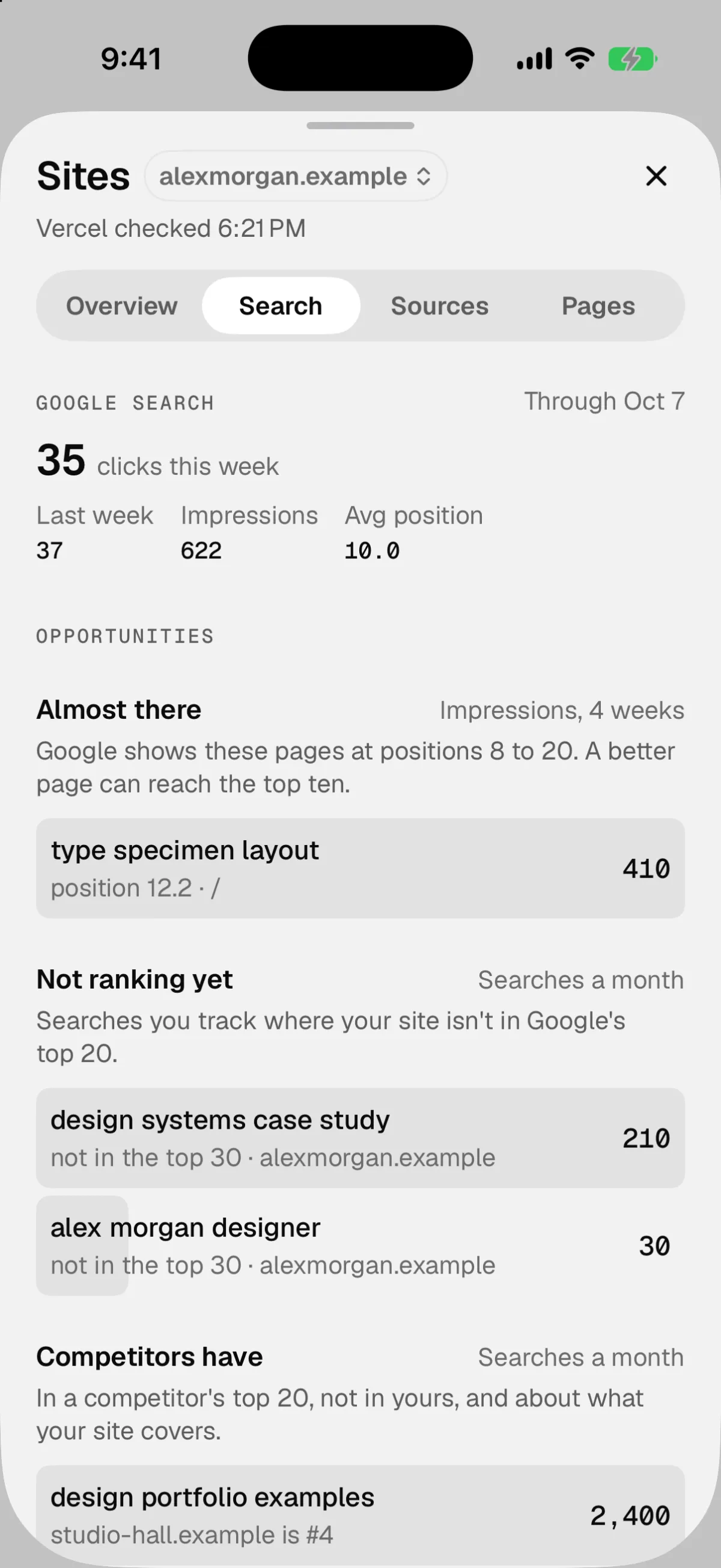
I looked at Semrush, the usual paid tool for this. I only get a handful of clicks a week from Google, so $139 a month didn’t make sense, and I could build most of what I’d use from it. The ranking data comes from DataForSEO instead, which charges per request. It should cost about a dollar a month, and Black Box refuses any request that would push it past $5.
A check-in I can do with one hand
Sunday morning I added a check-in card for my asthma. It appears when I ask Black Box for it, and on the Health page. It asks four things: how many times I woke up in the night, how bad the wheeze is, whether there’s more or less phlegm than yesterday, and how many puffs of my inhaler I’ve taken. I wanted to be able to finish it in under 10 seconds with one hand.
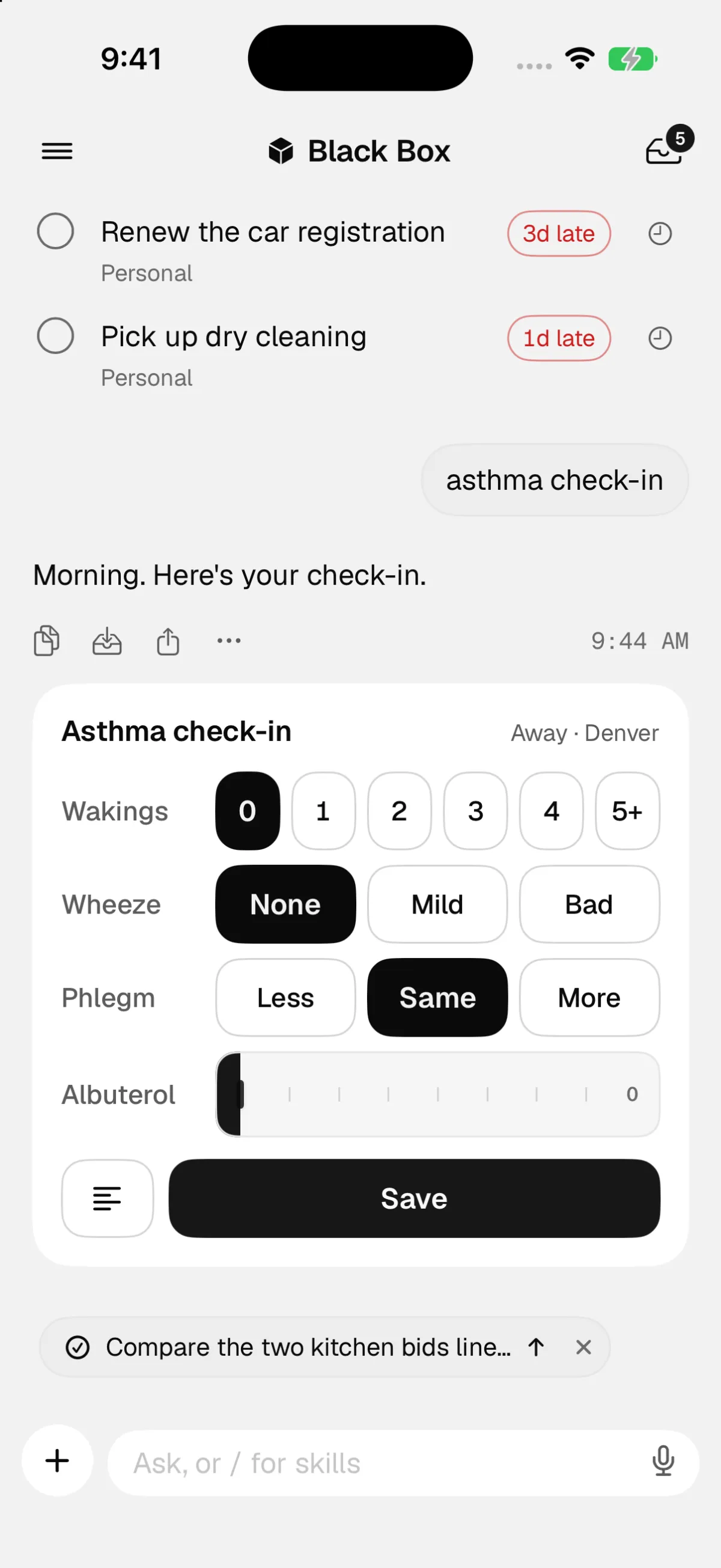
The part I thought about most was location. I want to compare mornings away from home with mornings at home, and one morning filed under the wrong place would skew that. So the card never asks where I am. Black Box already knows, either from what I’ve told it in chat or from my phone, which I’ll get to below. If it doesn’t know, it asks me instead of guessing.
It also won’t tell me there’s a difference between home and away until it has at least three mornings in each. Two mornings is a hint at best.
Background jobs that can see what they build
Black Box can work on longer tasks in the background, including changes to its own code. The check-in card was built that way, but the job never actually saw it. Background jobs run in a locked-down sandbox that couldn’t open Xcode, Apple’s tool for building apps. So it finished a screen nobody had looked at, and I had to get it onto my phone myself in a separate session.
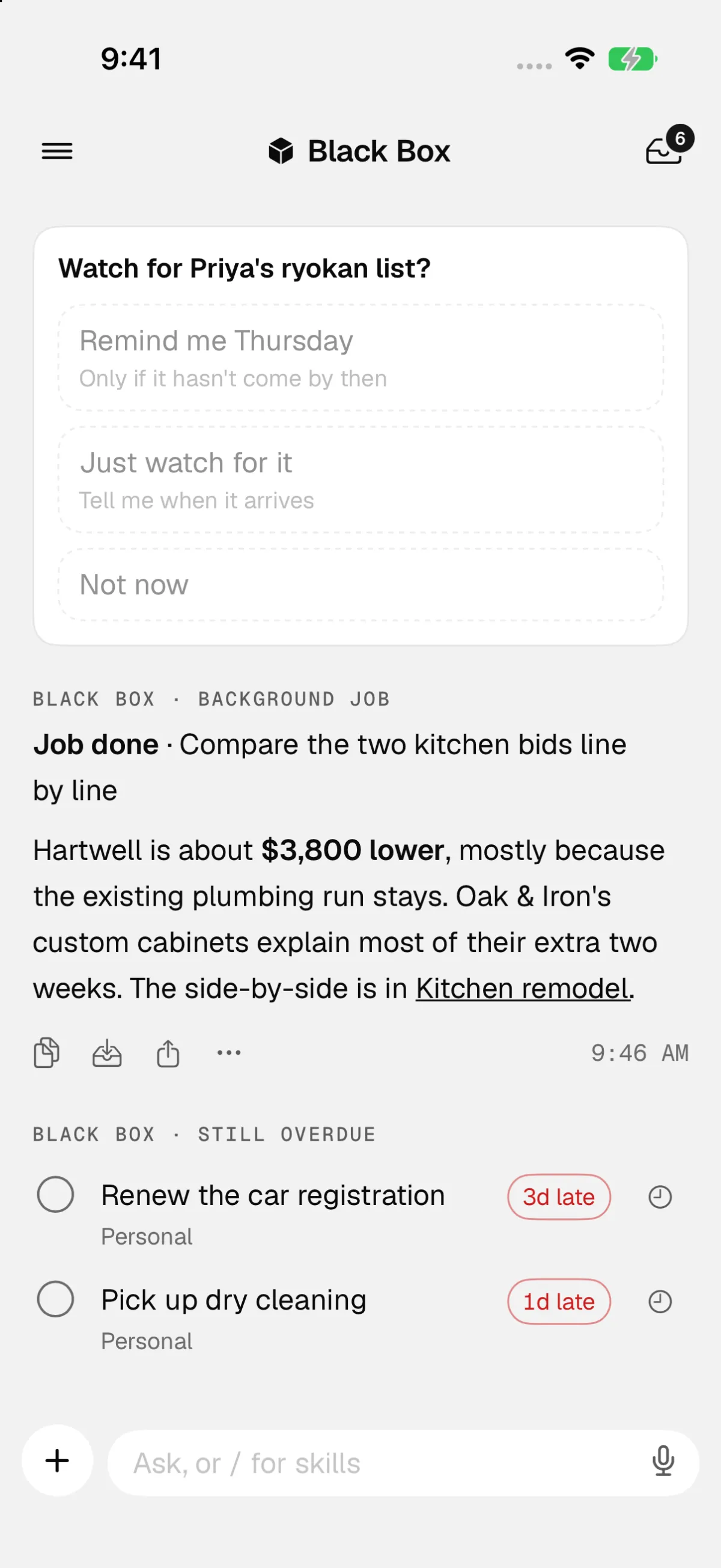
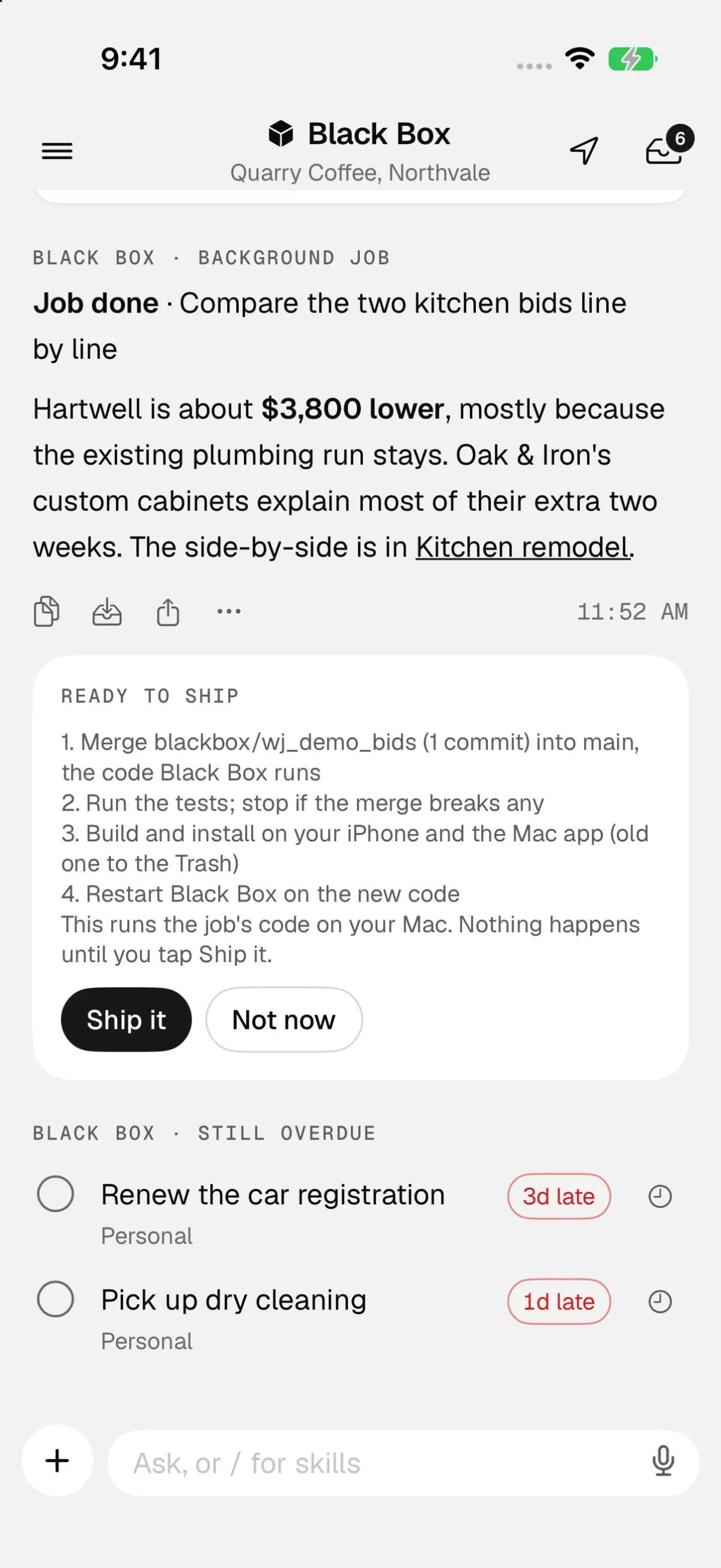
Now, when a job changes the app, Black Box builds it in the iPhone simulator, runs it with demo data, and captures each screen. Those images show up on the job’s card in the chat, so I can see what it made before anything else happens. It asks my permission once per job first, because the app it built runs on my Mac and could reach files there.
When a job is finished, a Ready to ship card lists exactly what shipping it means: merge the change, run the tests, build and install the app on my iPhone and Mac, then restart Black Box. Nothing runs until I press Ship it. A job never ships itself, and the steps are run by fixed code, not by the AI. If a step fails, it stops there and leaves everything as it was.
There’s no one-tap undo for a ship, which is why it asks me every time.
Where I am
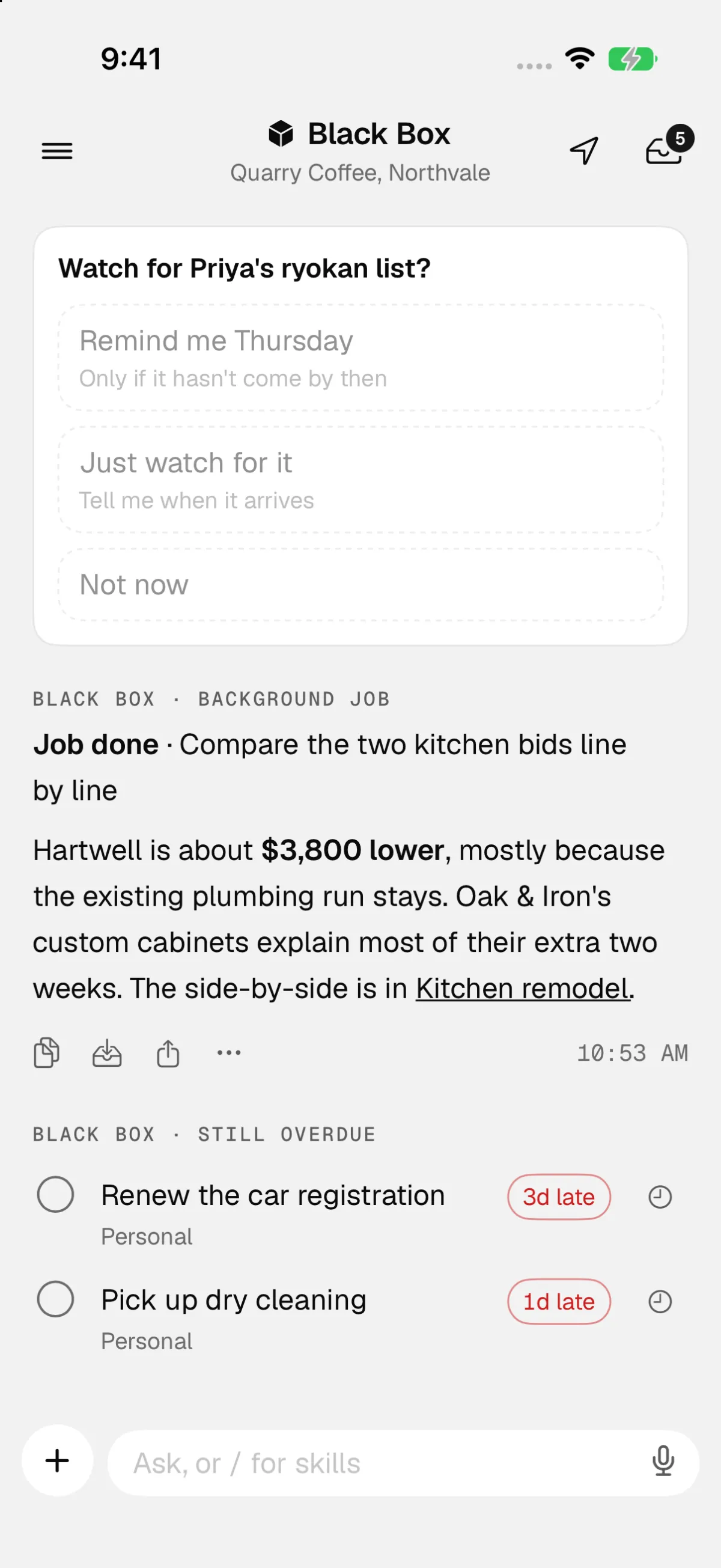
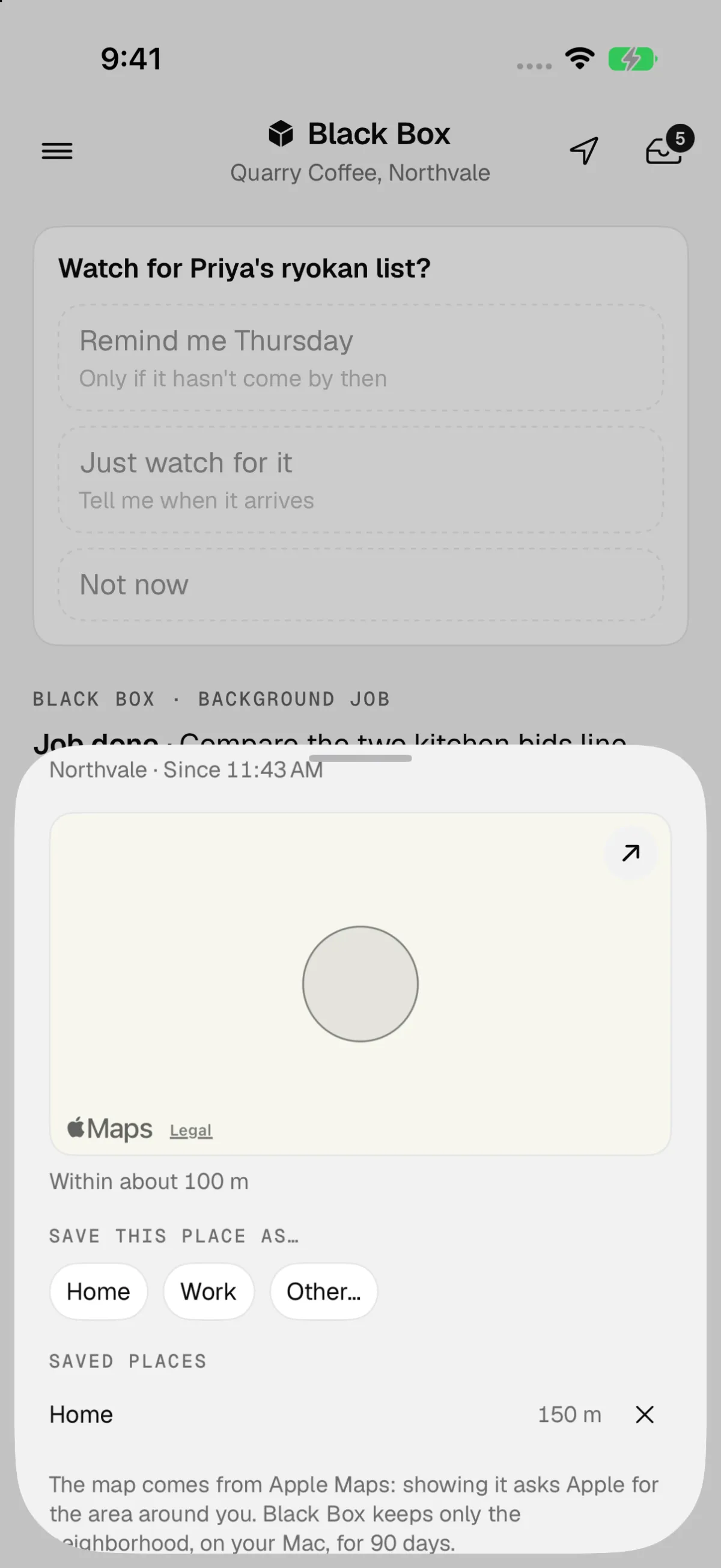
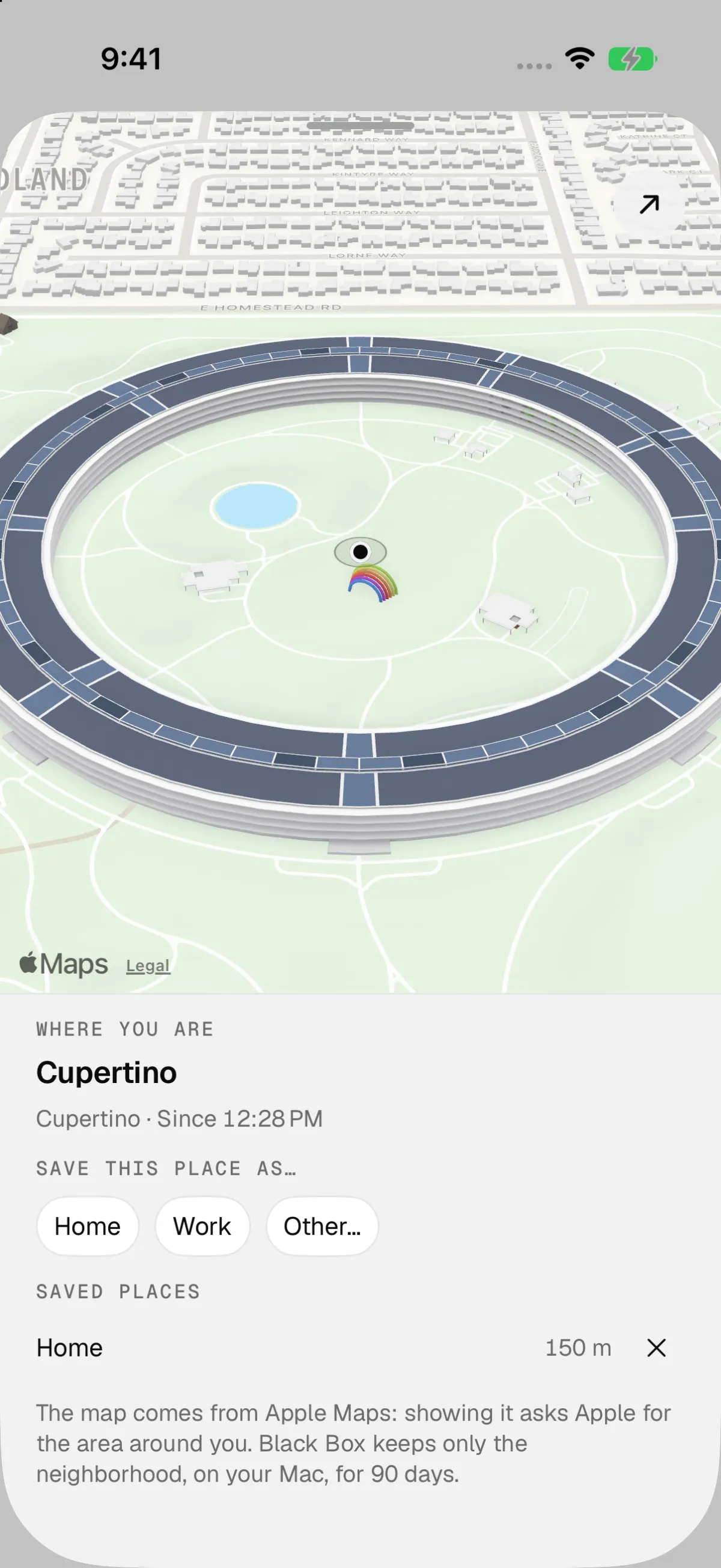
Black Box now knows roughly where I am. My iPhone notices when I arrive somewhere and when I leave, and the app’s header names the spot. It might say home, work, a café, or just the city. I can ask where I was this afternoon, and the check-in card uses it to file each morning as home or away.
Battery life and privacy shaped most of this. It never tracks GPS continuously. It uses the arrival and departure signals iOS already provides, plus one location check when I open the app. It keeps only the neighborhood, about 100 meters, and only for 90 days. The AI sees place names and times, never exact coordinates.
Tapping the place opens a panel with a map. It started as a small map at the top. I asked for more height, then for 3D, and now it covers the whole panel, tilted, with Apple’s building models where they exist.
Day
The biggest piece was Day. It replaces the old Upcoming tab and shows a single day of my calendar: the week’s dates across the top, each event in its calendar’s color, the gaps between them, and lighter rows for things Black Box does on its own, like sending my evening roundup.
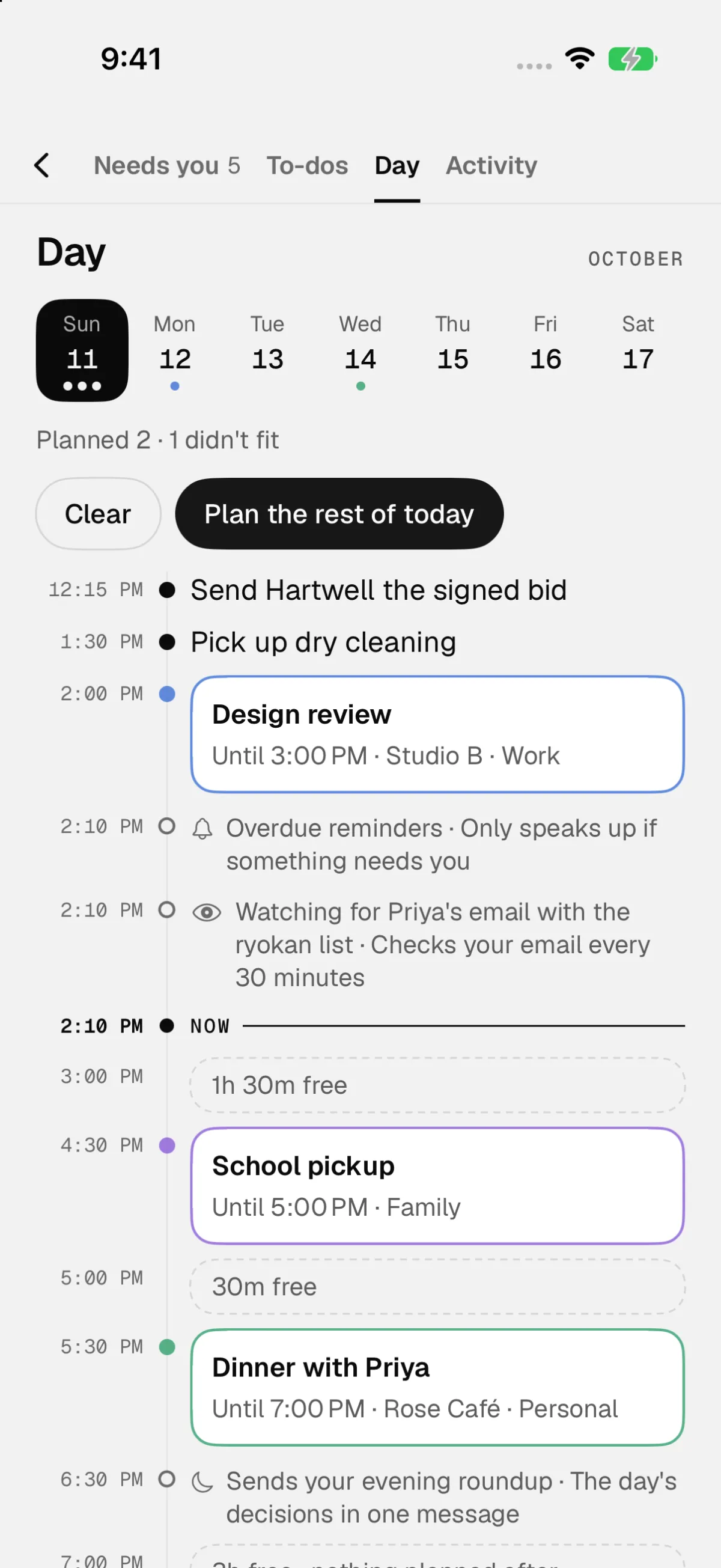
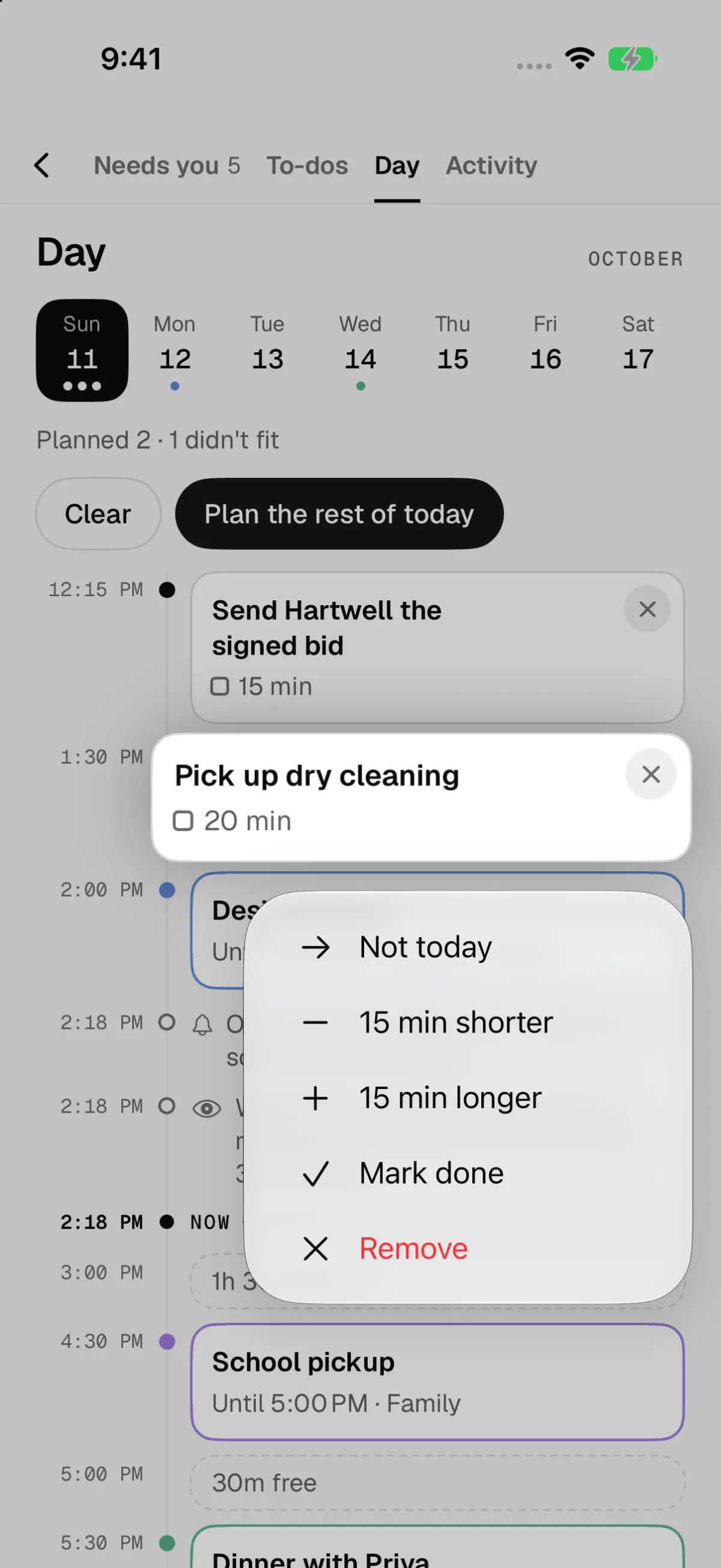
Tapping Plan the rest of today takes to-dos that are overdue or due soon and fits them into the open stretches of the day. The AI picks which to-dos to include and estimates how long each one will take. Then ordinary code places them, earliest gap first, with 10 minutes between blocks, 10 minutes clear before any meeting with other people, and nothing after 10 pm. Anything that doesn’t fit is listed on a line that says so.
The AI only picks and estimates. Code decides where things go, so those rules always hold.
It writes blocks to a separate calendar called Black Box, so my own events are never touched. Each plan costs at most 10 cents in AI usage, and it won’t spend more than a dollar a day. Calendars I subscribe to, like team schedules and holidays, show up but don’t count as busy time. A Broncos game on my calendar shouldn’t stop it from planning my afternoon.
I can drag a block to move it, tap the × to remove it, or hold it down for Not today, 15 minutes shorter or longer, and Mark done.
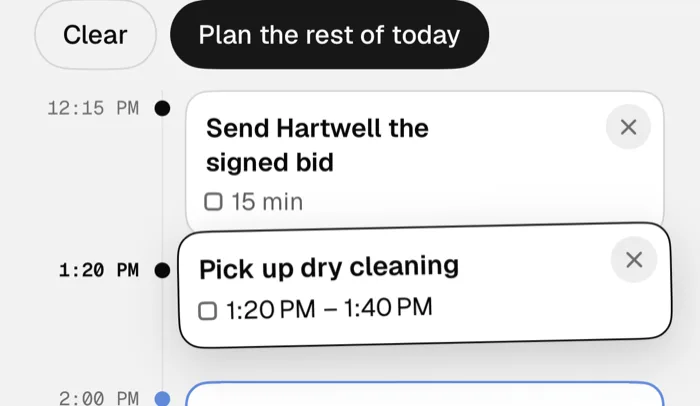
One Undo takes back a whole plan. If I’ve moved one of the blocks since, it leaves that one where I put it and tells me, with something like “Undid 3 of 4. You’d moved the dry cleaning, so I left it.”
Day is built, but it isn’t on the Mac mini that runs Black Box yet. I’ll install it this week. After that I want to see how it handles a real week, and whether I keep the plans it makes or move most of them around.