
AI won't replace your design process
I'd never built an app before AI tools. I built Contrrrol, a Mac app, with the same design process I've used my entire career.
I have ten apps on the App Store, and I manage all of them in App Store Connect, which is Apple's website for uploading builds, writing store pages and releasing updates. Apple also has an API for almost everything in there, so other software can do the same work. I wanted a native Mac app on top of it so I could see where every app stood and make changes in one place.
I built it with Claude Code over about three days and called it Contrrrol. All my apps have tripled letters in their names, so that isn't a typo.
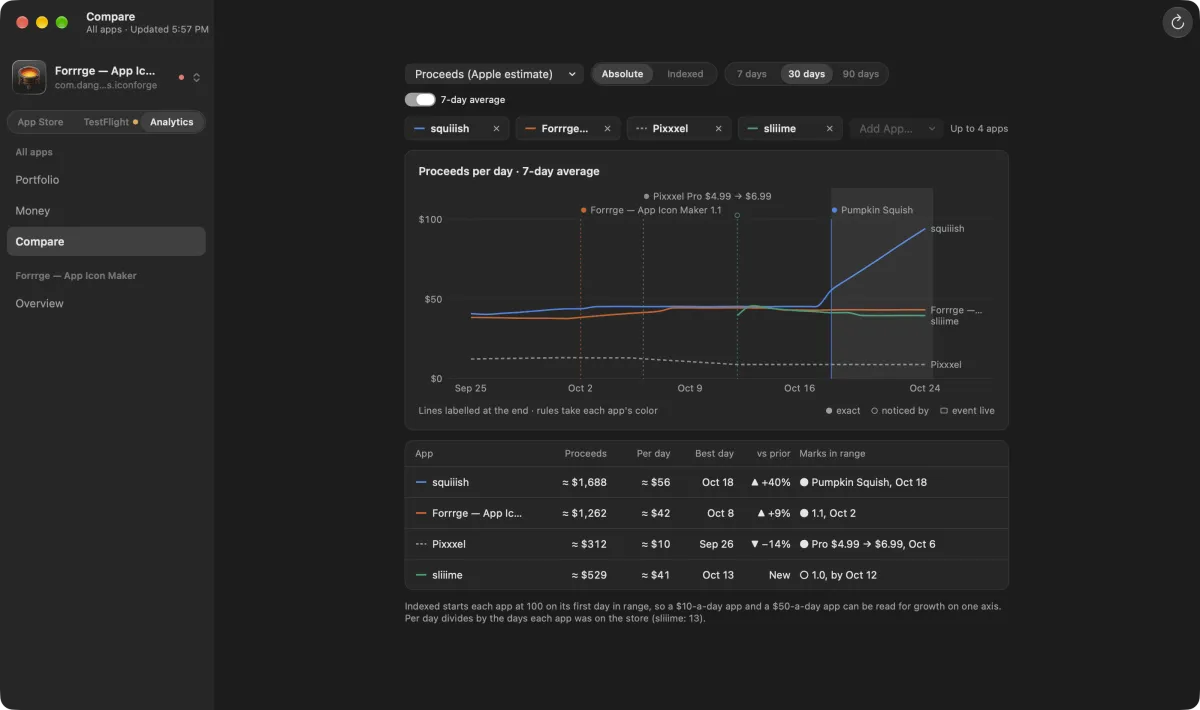
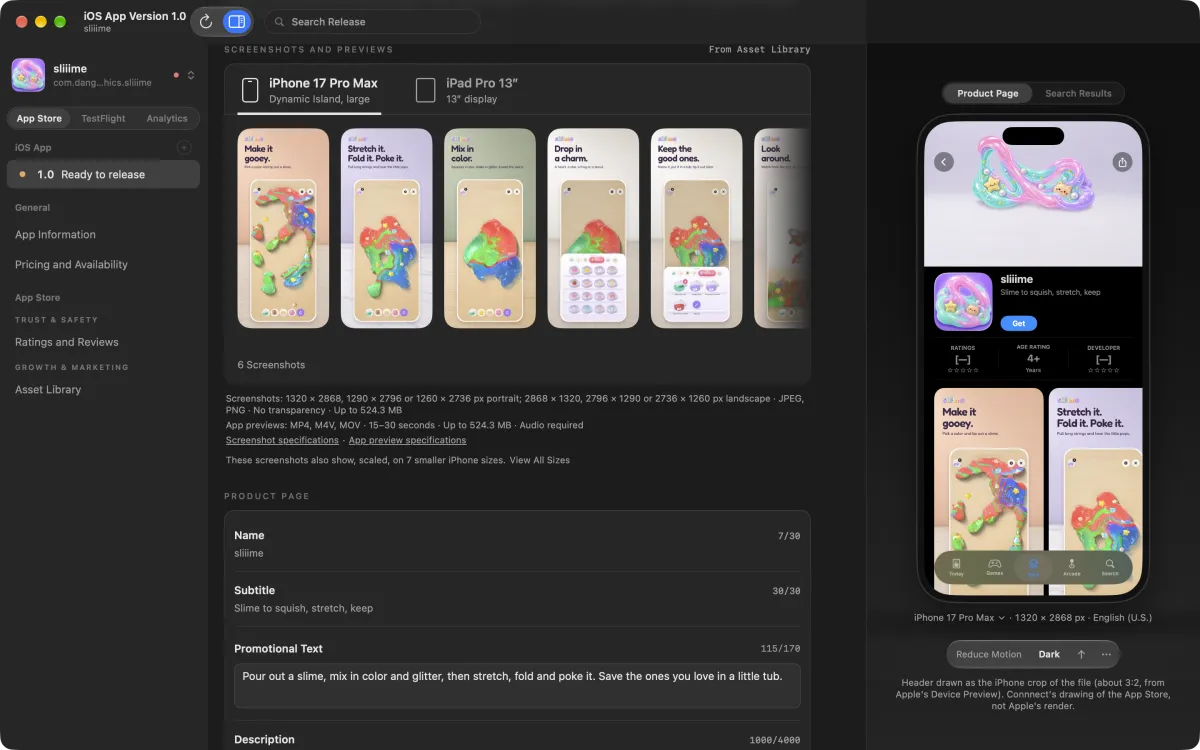
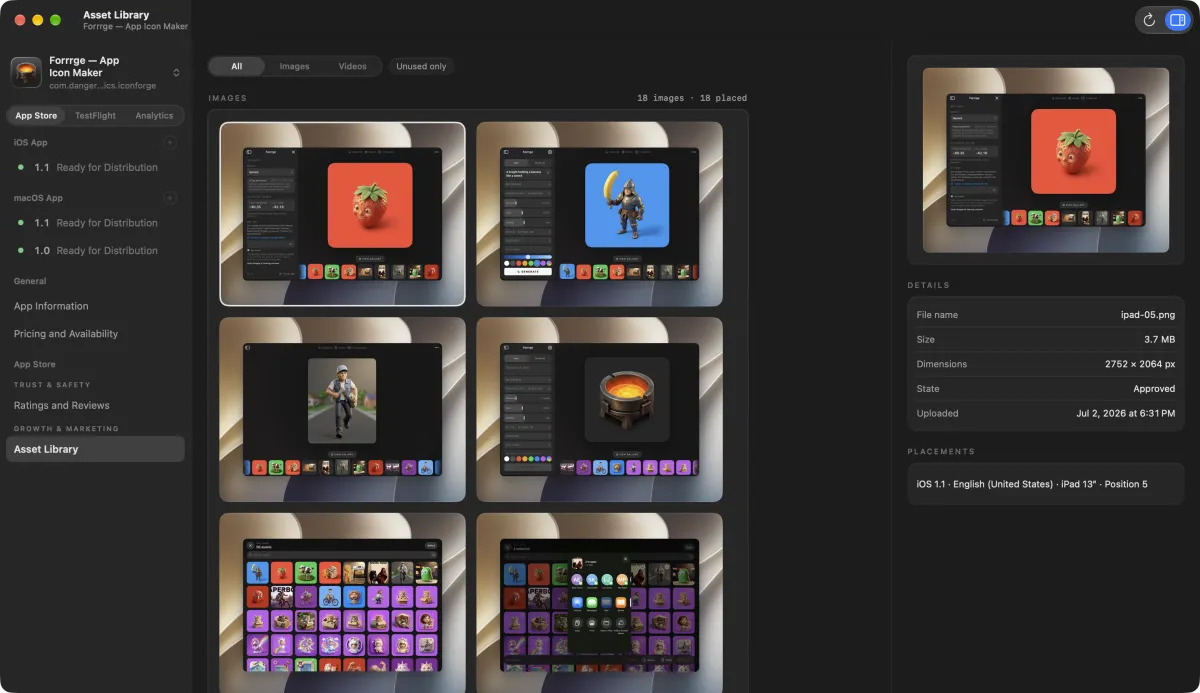
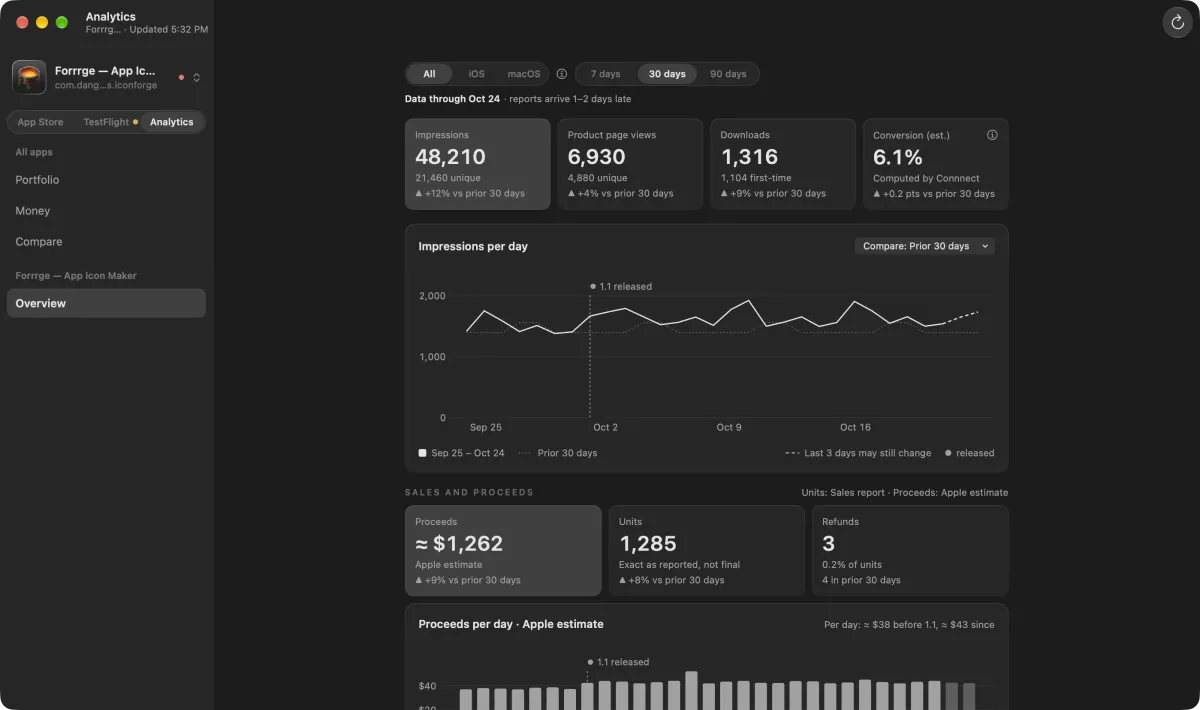
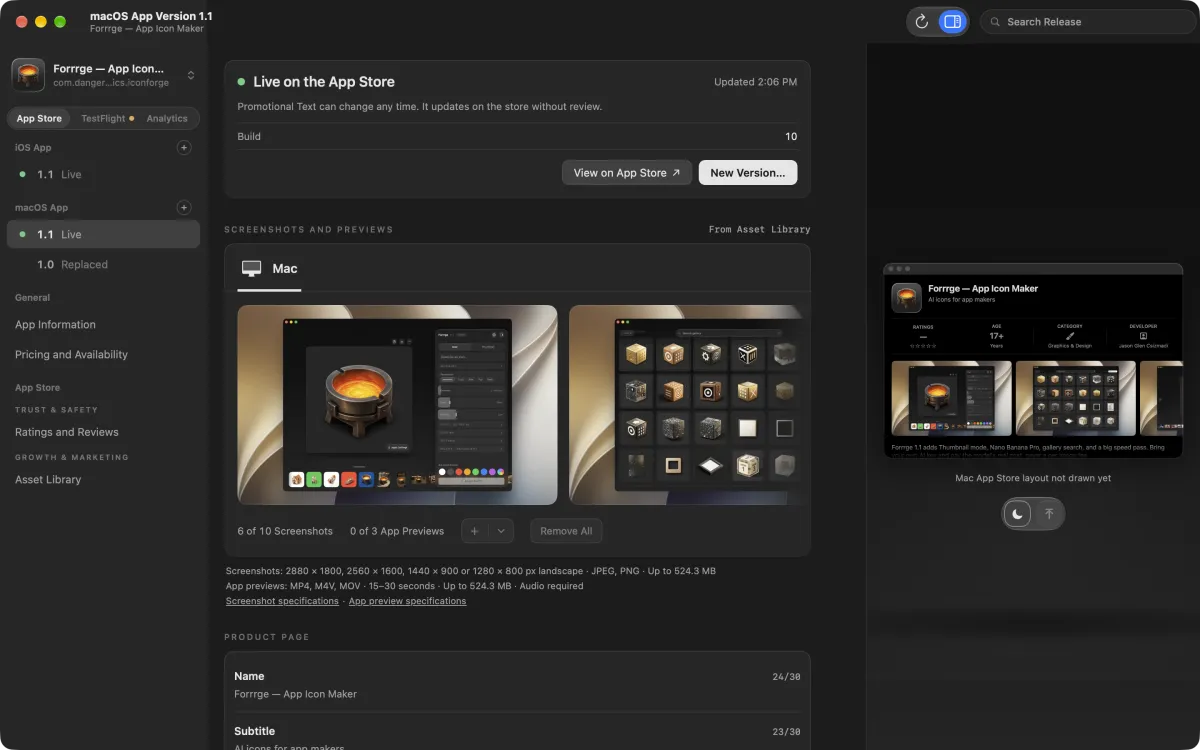
I started by building
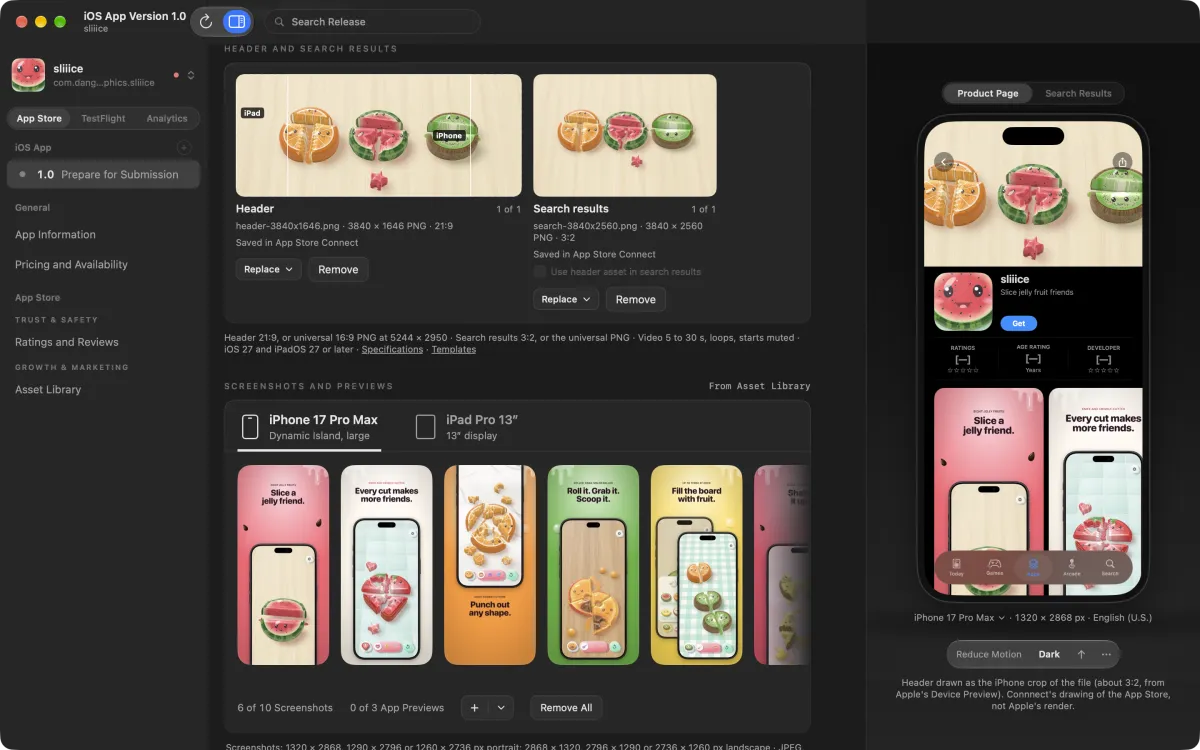
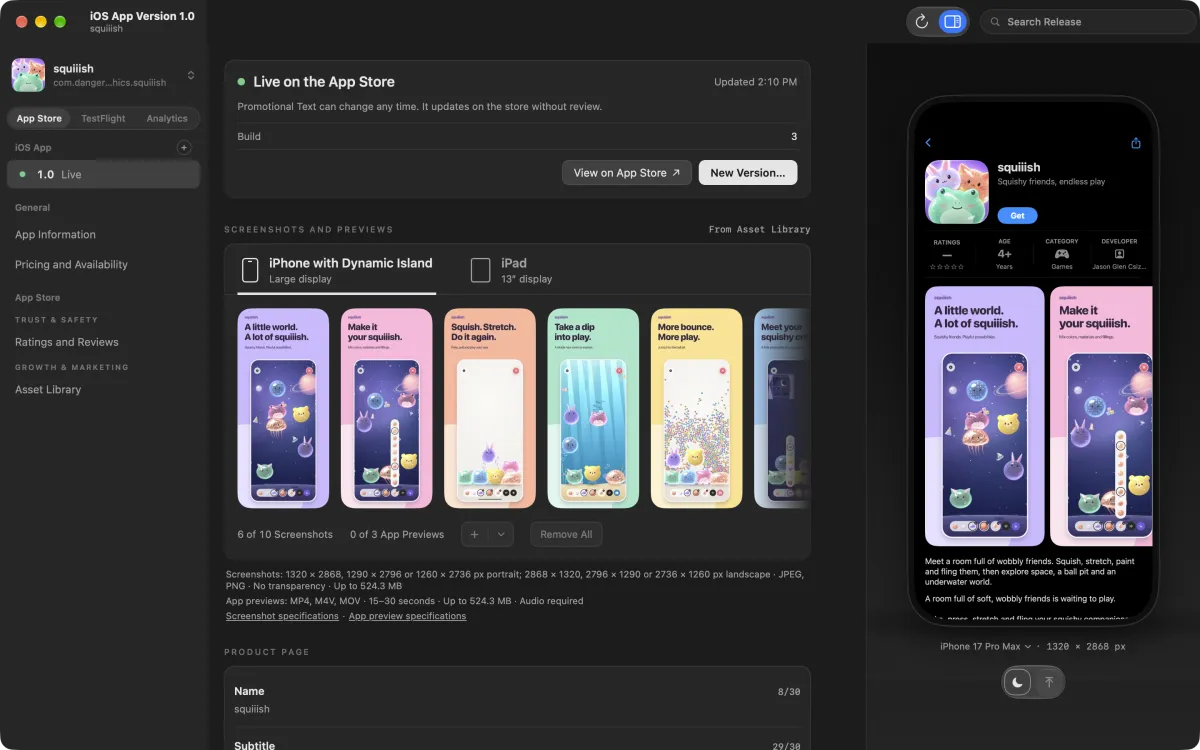
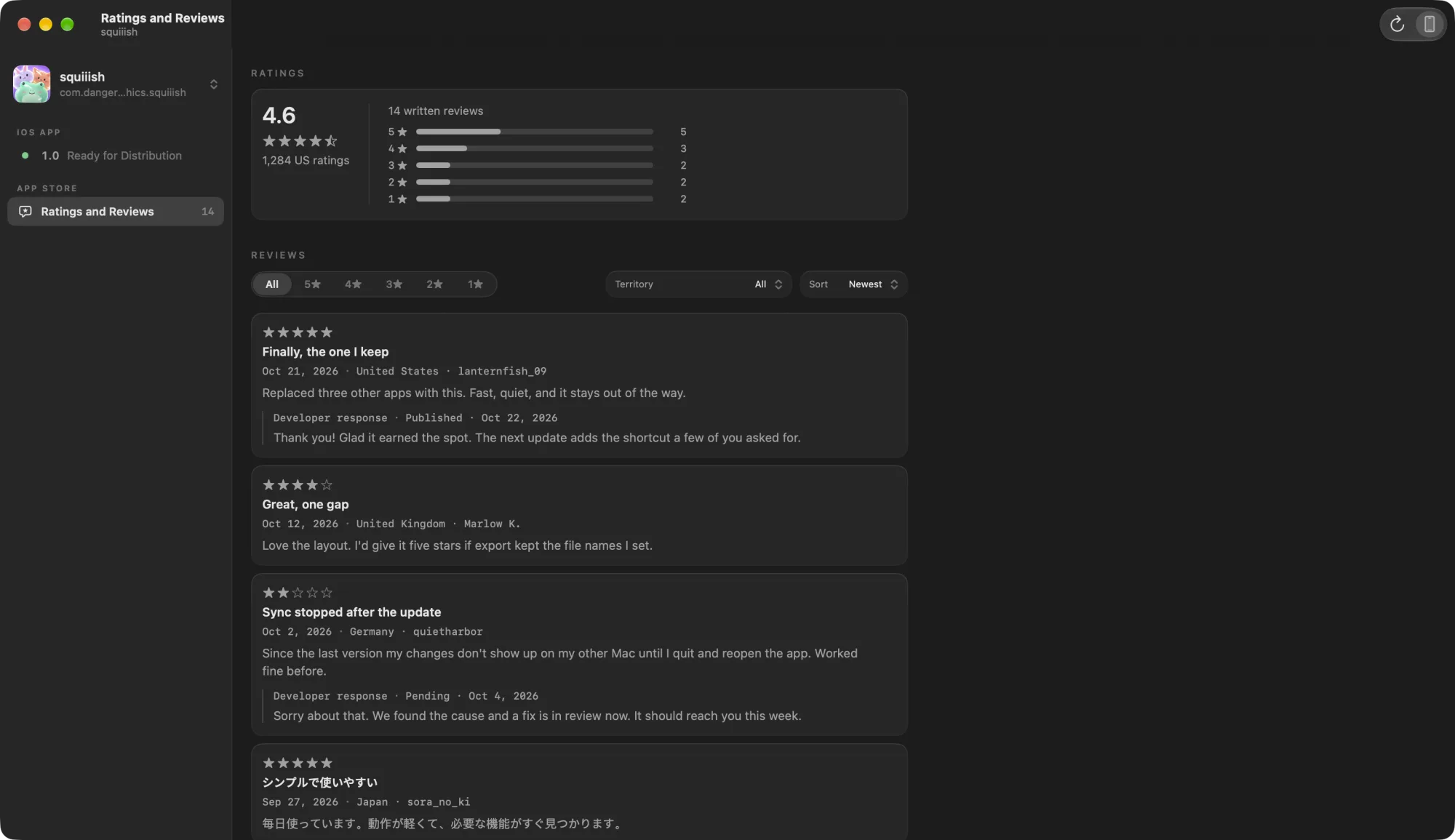
The first version came together in an evening. It was read-only, with a sidebar of apps and versions, the screenshots and store text for each version, and a preview of the product page. I added customer reviews about 40 minutes later.
The screens worked, but they weren't what I wanted. Each one looked a little different from the last, and a lot of them looked obviously AI-generated. We were also designing without knowing what App Store Connect could support.
So less than two hours in, I sent the agent through Apple's API documentation to map what was possible. It came back as a table with one row per feature and a link to Apple's docs on each row. It also made read-only calls against my account to see what data I had.
The map turned up a few things that changed the app.
- Apple had deprecated the old way of handling screenshots, and my first version was already reading them that way. Uploads had to go through the newer Asset Library, where Apple now keeps an app's images and videos.
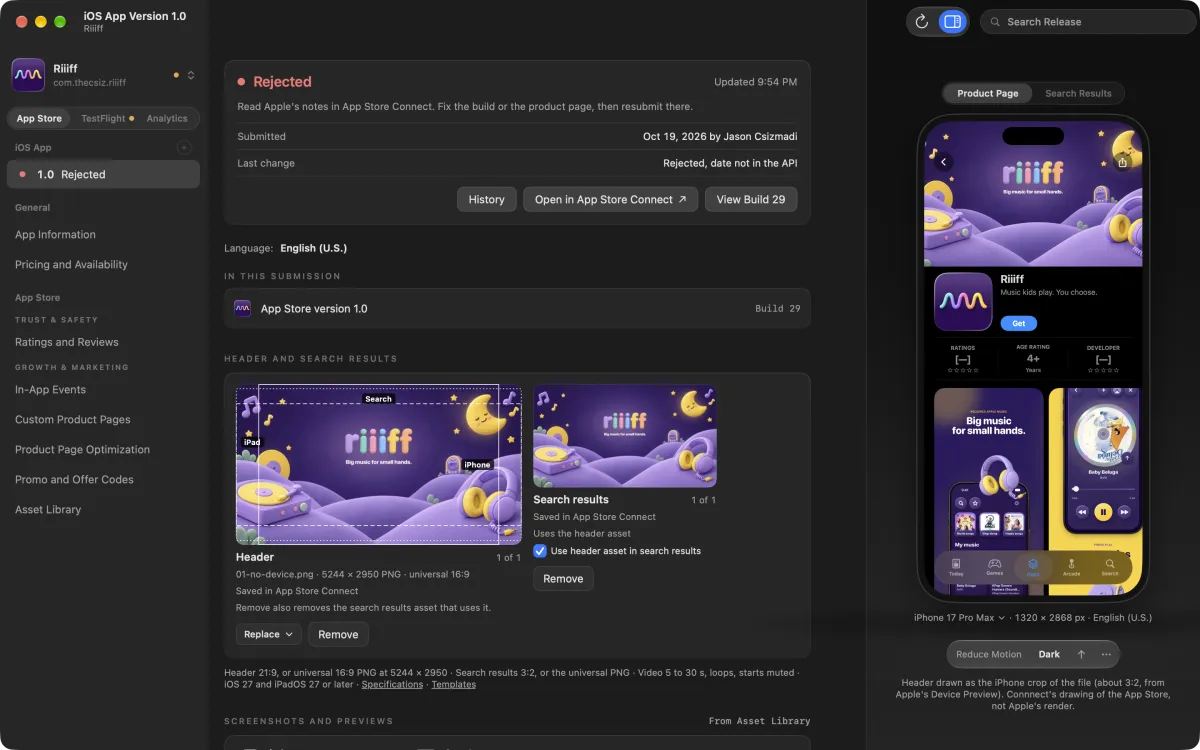
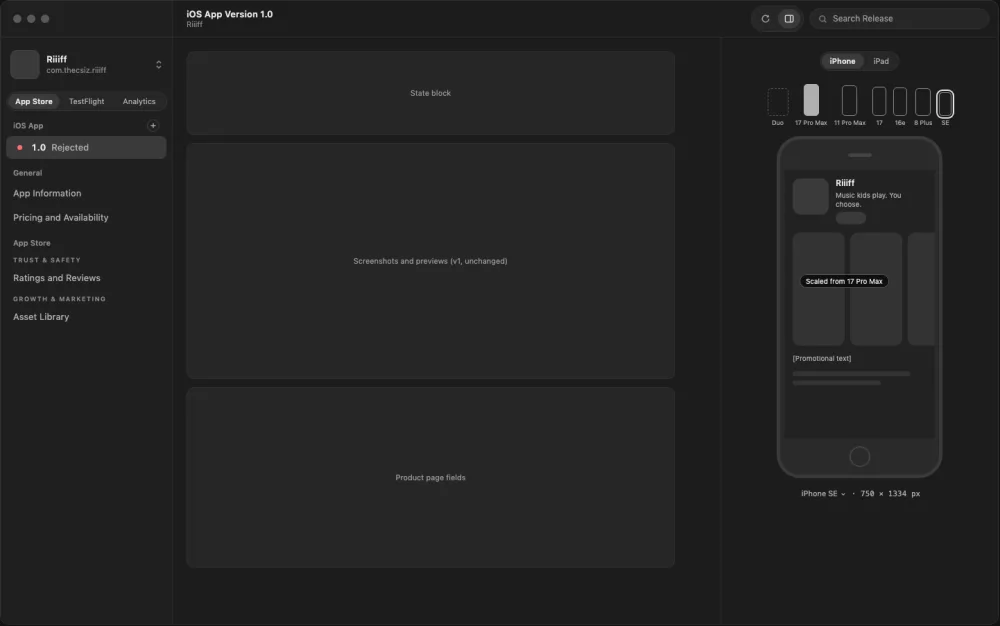
- There's no API that tells you why an app was rejected. Riiiff was rejected at the time, so Contrrrol could only show the state and link to App Store Connect.
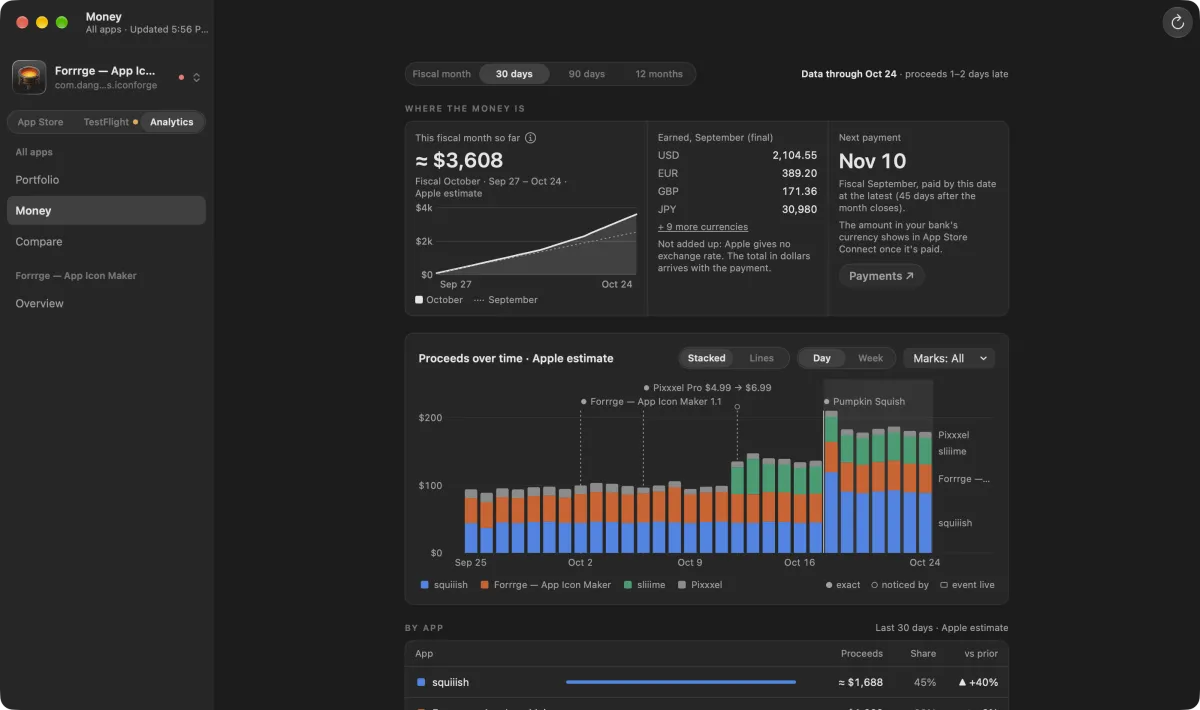
- Turning on analytics needs an Admin key, the highest level of access, and you can't change a key's level after you create it.
The map also showed that most of my real data was in TestFlight, Apple's beta testing service, with 118 builds across my apps. We built those screens next, and then I stopped adding screens.
Wireframes before code
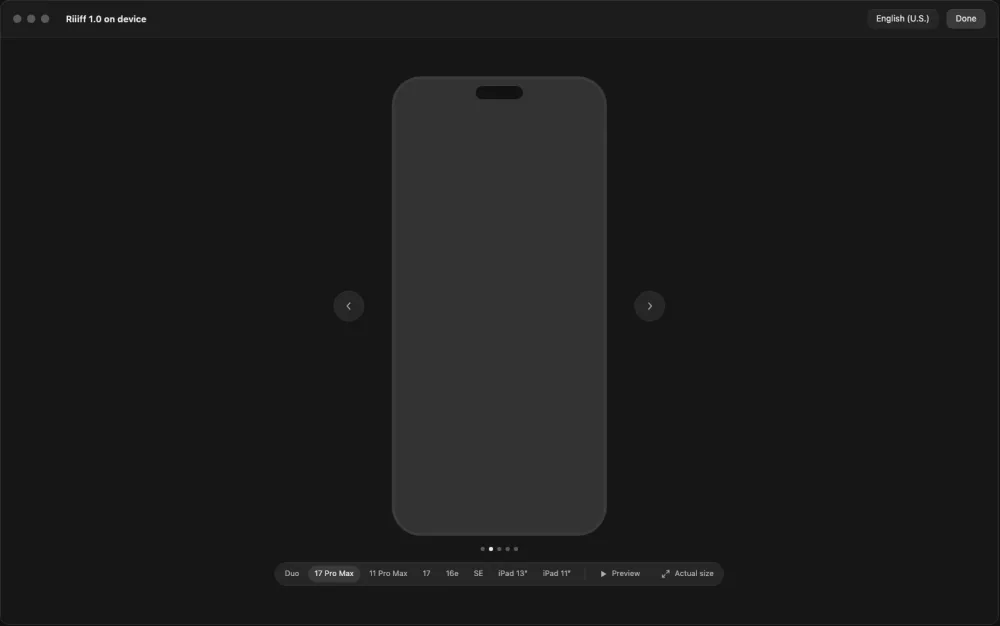
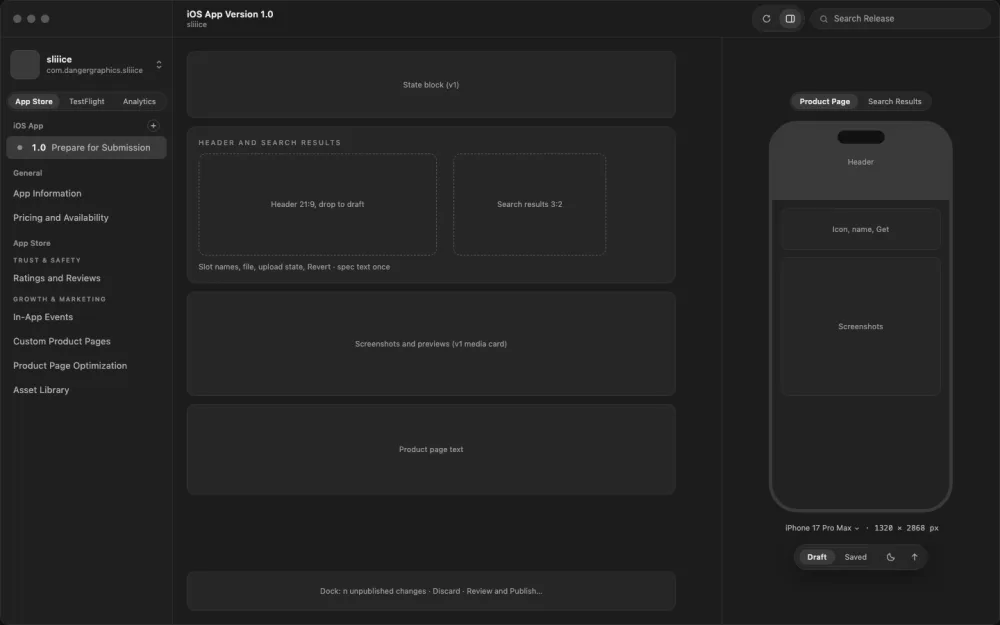
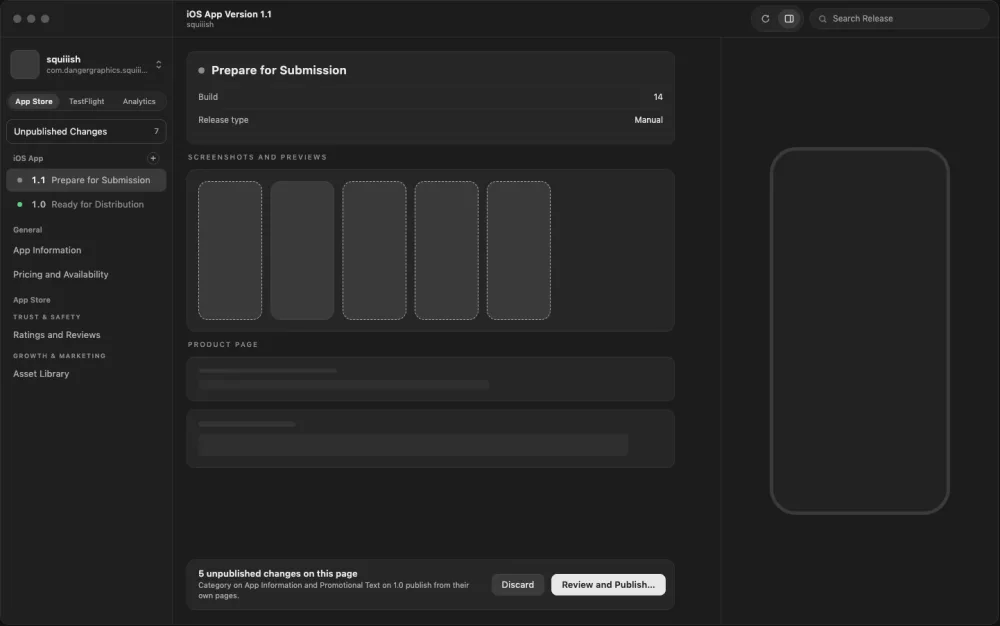
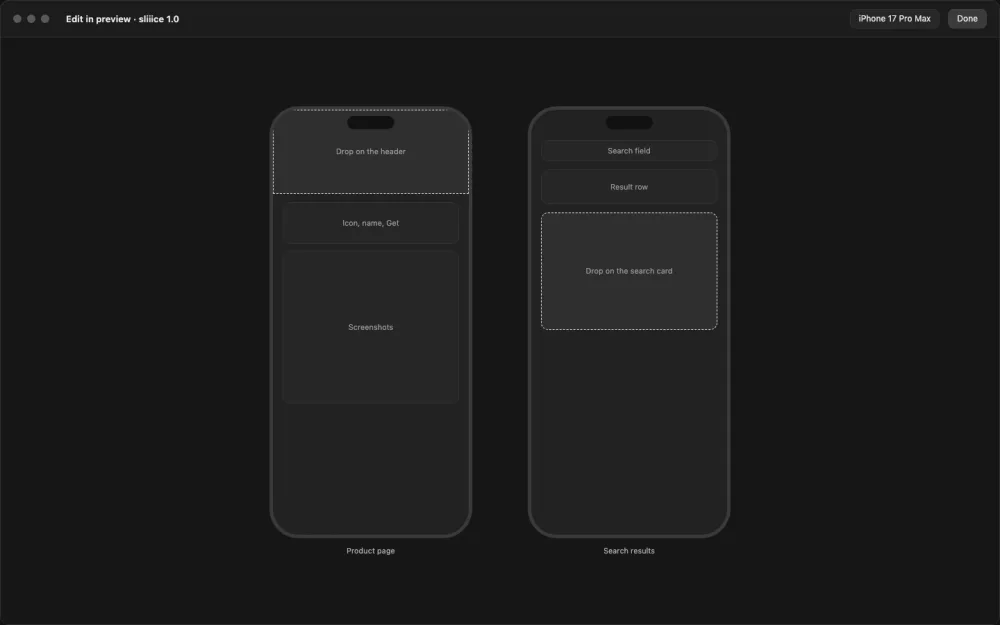
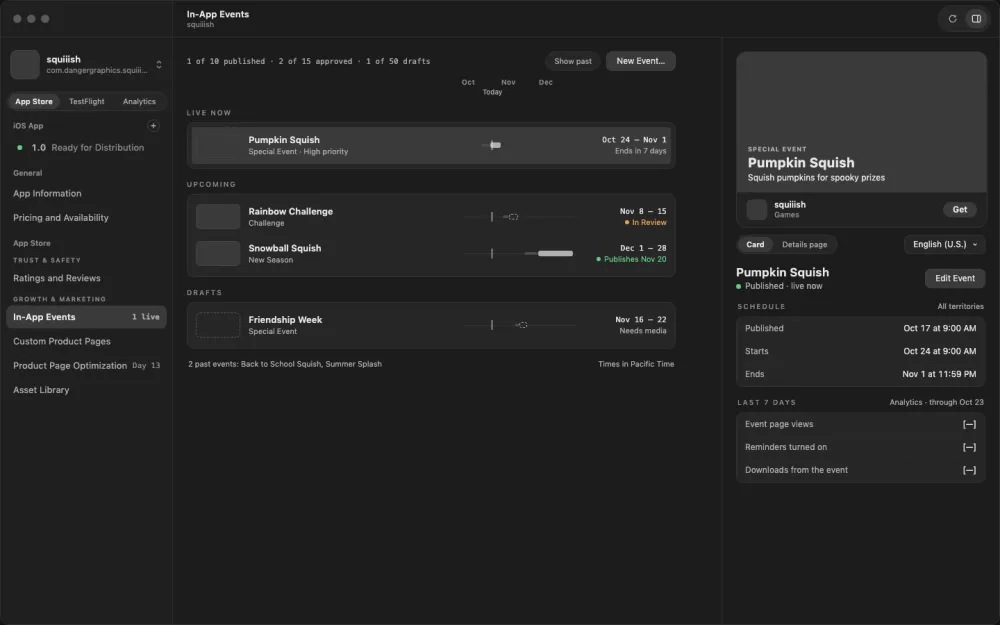
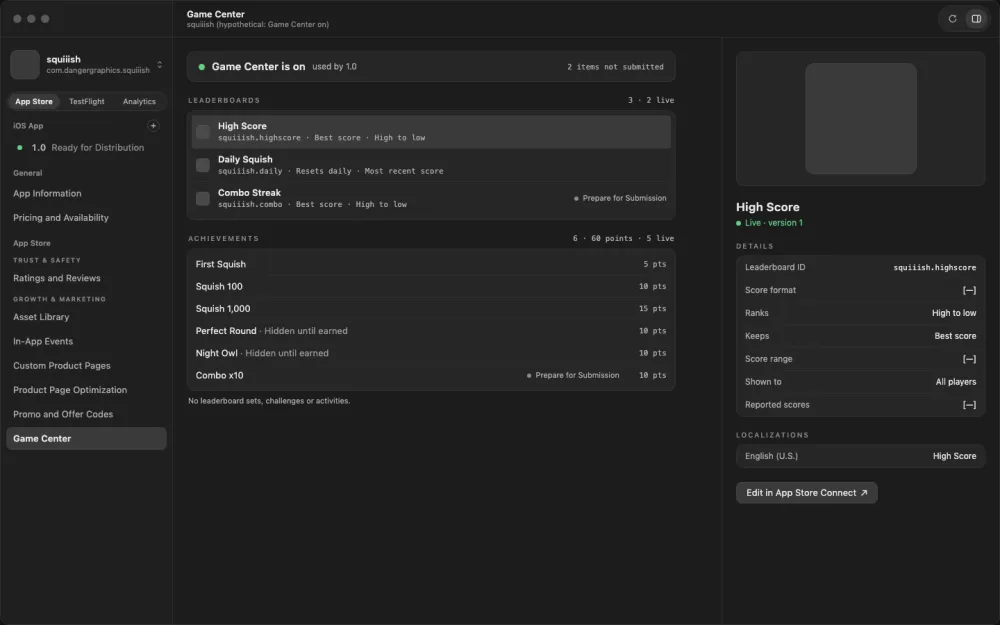
We talked through what the app should be, and the agent drew wireframes, which are simple layouts of each screen without color or polish. Each one covered a kind of screen the app would need over and over, like a list with details on the side, so every screen built from it would work the same way. They used my real apps in their real states. sliiime was approved and waiting for me to release it, and Riiiff was rejected. By the end of the first night there were 13 of them, each reviewed three times, and I locked them as the plan to build against.
The first night
The agents built the first set of screens overnight. The report waiting for me in the morning said, "I haven't launched it, so try it before you call any feature done." So I used it, and then had agents review it and a second set check their findings. The review opened with "Nothing is built yet. You pick," meaning none of the fixes had been made and the choice was mine. That morning the agent also drew a second round of 86 wireframes covering more of the app.
Two rules
Also that morning, I gave the agent two rules for the whole app.
One was about capability. In my words at the time, "we can upload, edit, change, preview all of everything we do." If the API can do something, the app should too. When it can't, the screen says so and links out to App Store Connect.
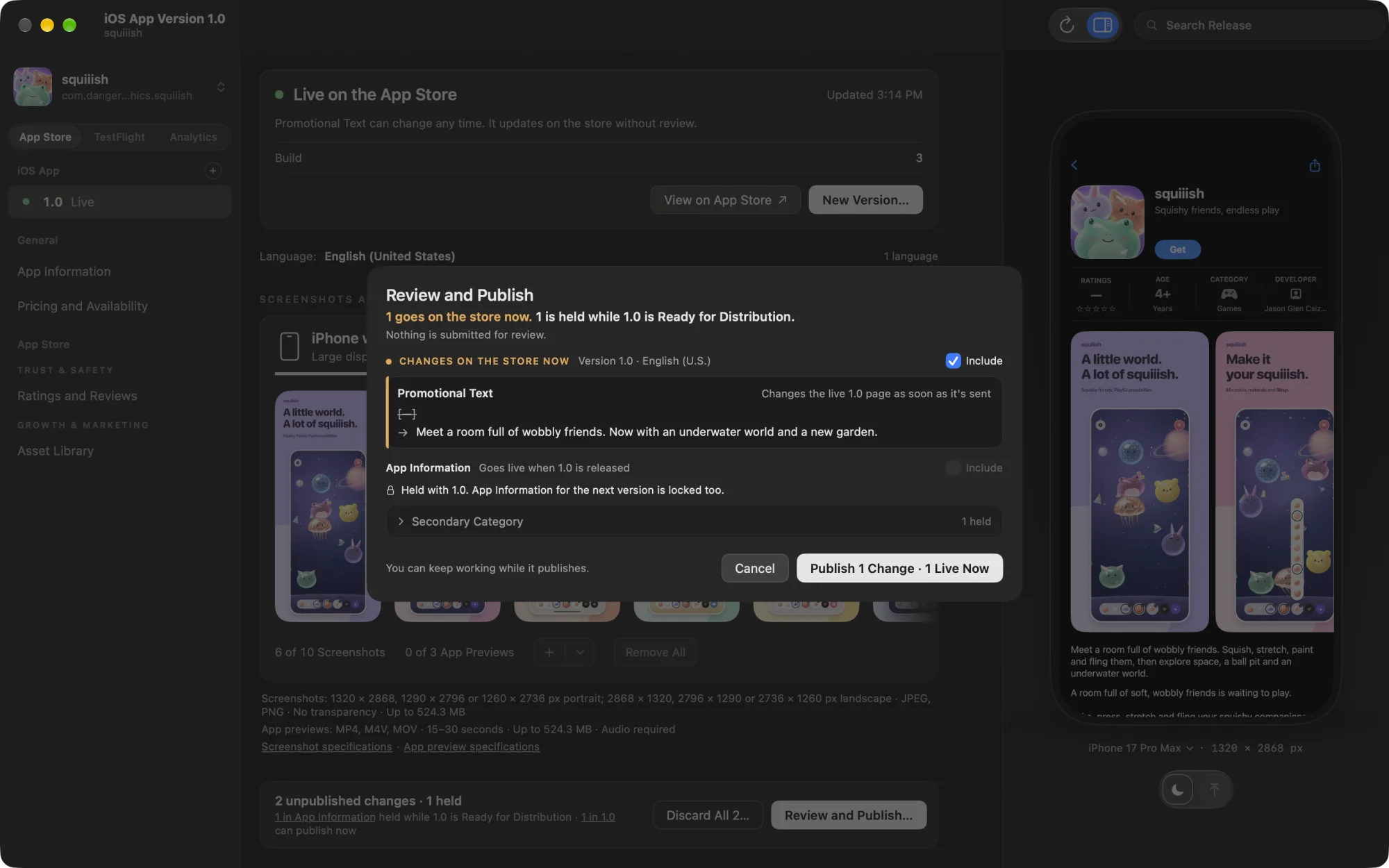
The other was that every change goes into a local draft on my Mac, and nothing gets sent to Apple until I review it and press Publish. Screenshots upload in the background as soon as you add them, so Publish only has to put them in place.
Checking the wireframes
Then a group of agents critiqued the new wireframes, and another agent checked each finding. Of 71 findings, 55 held up, 15 were partly right and 1 was wrong. The check told me which ones to read closely before acting on them.
Some of the wireframes had been drawn before the rules. They still saved page by page, and nine buttons still sent changes straight to Apple, including Generate Codes, Start Test and Turn Off Offer Code.
I had to decide which of those could wait for Publish. The critique proposed a rule, and I took it because it was easy to understand and made the rest of the app simpler. Anything that happens on Apple's side, like starting a test or generating a batch of codes, stays immediate behind a confirm. Edits to text, images and settings go into the draft. Turning off an offer code was the clearest case. If a code leaks, stopping it can't wait until I'm ready to publish everything else.
How the build ran
From there the plan was split into phases, 12 by the end, and some ran side by side. In each one, a few agents built separate pieces in their own copies of the code, and the agent I was talking to merged them. One reviewer read the code without seeing the builders' notes, another compared screenshots to the wireframes, and a third agent checked both reviews before anything got fixed.
I'd use what was built and give feedback. If the problem was in the design we redrew the wireframe before touching code, and anything else went into the next round of fixes.
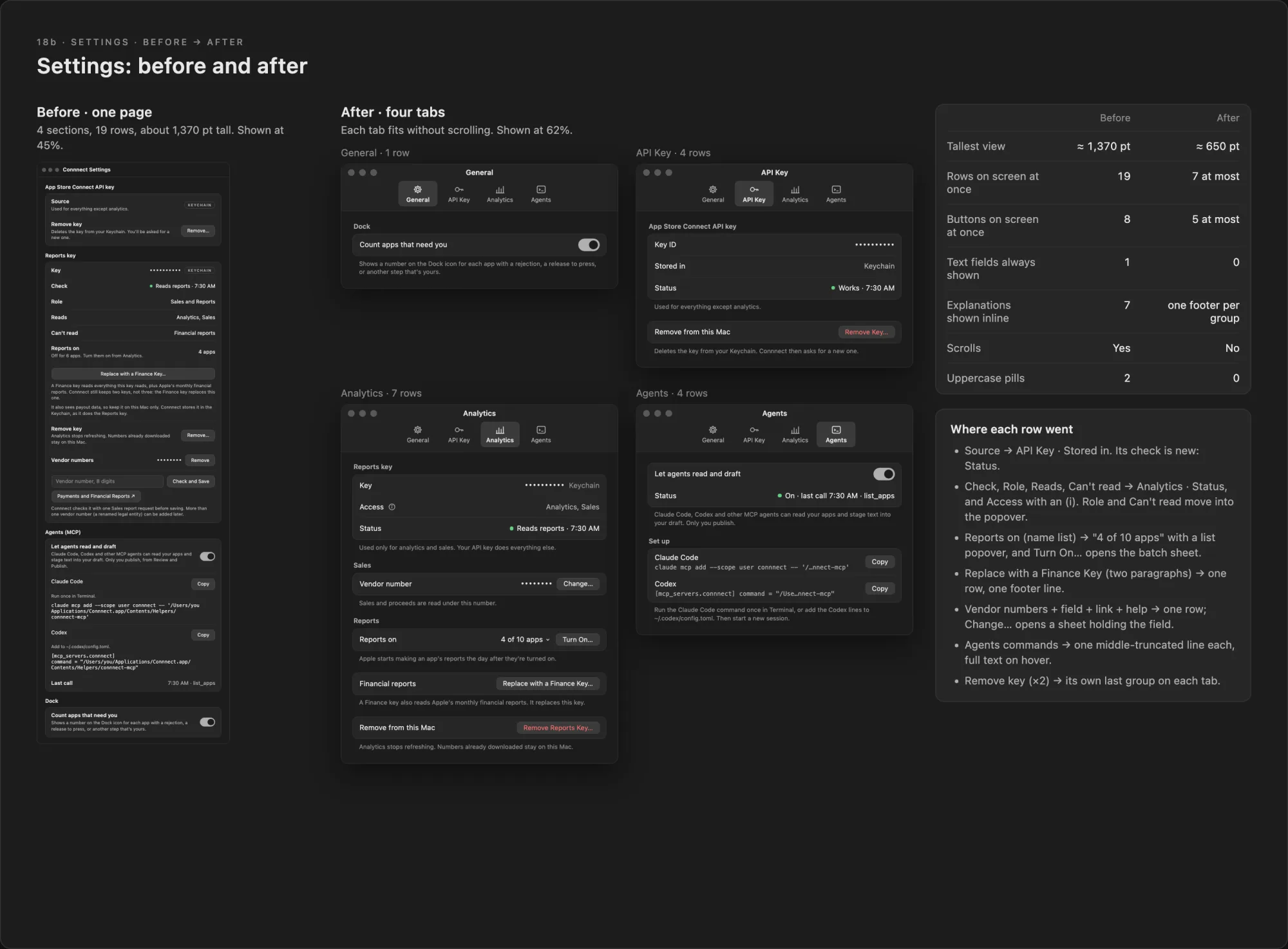
Settings was one I sent back. We'd built it as one long page with 19 rows, more than anyone would want to read through. We redrew it as wireframes first, and it became four short tabs for General, API Key, Analytics and Agents.
Letting my agents use the app
On the last day I added a way for my agents to use Contrrrol directly. It's an MCP server, which is the standard way tools like Claude Code and Codex connect to other apps.
An agent can read what Contrrrol knows about an app, like the saved store text, character limits and languages. Because every change already went through the draft, the agent didn't need its own way to save. If I ask it to write the What's New for a release, which is the release notes on the store page, the text lands in the same draft as mine. It can't publish. I review the before and after and press Publish myself.
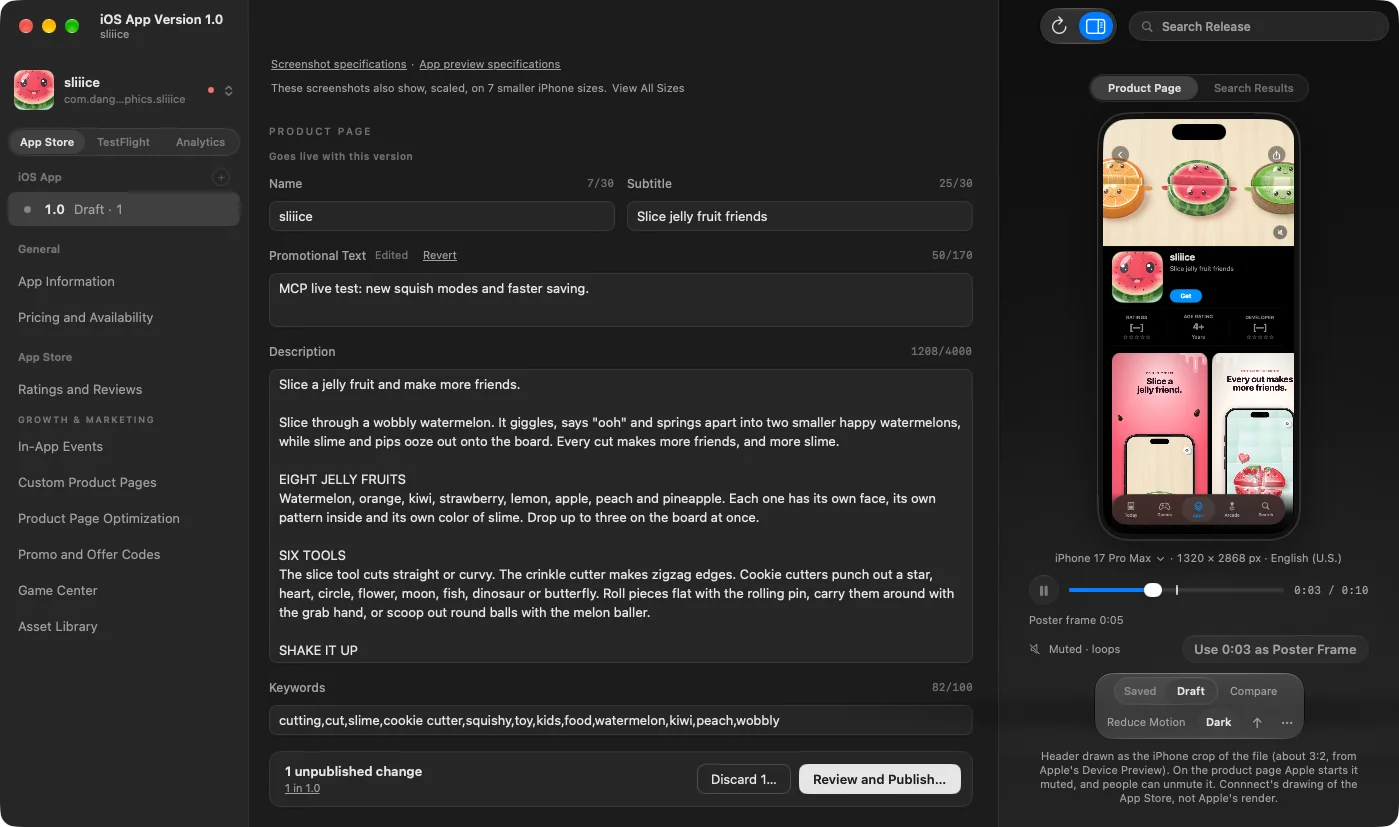
Contrrrol started as a way to see if I could build something like this at all. The more we went through the process, the better it held up, and the app ended up fairly polished. With a handful of tweaks, I think it could be useful to other people who ship apps.
I also built it because shipping to the App Store is more complicated than I expected, and there was a lot of it I didn't understand. I want Contrrrol to make that simpler, so it's easier to ship what I want to make, and then to track how each app is doing and hopefully grow its users.